
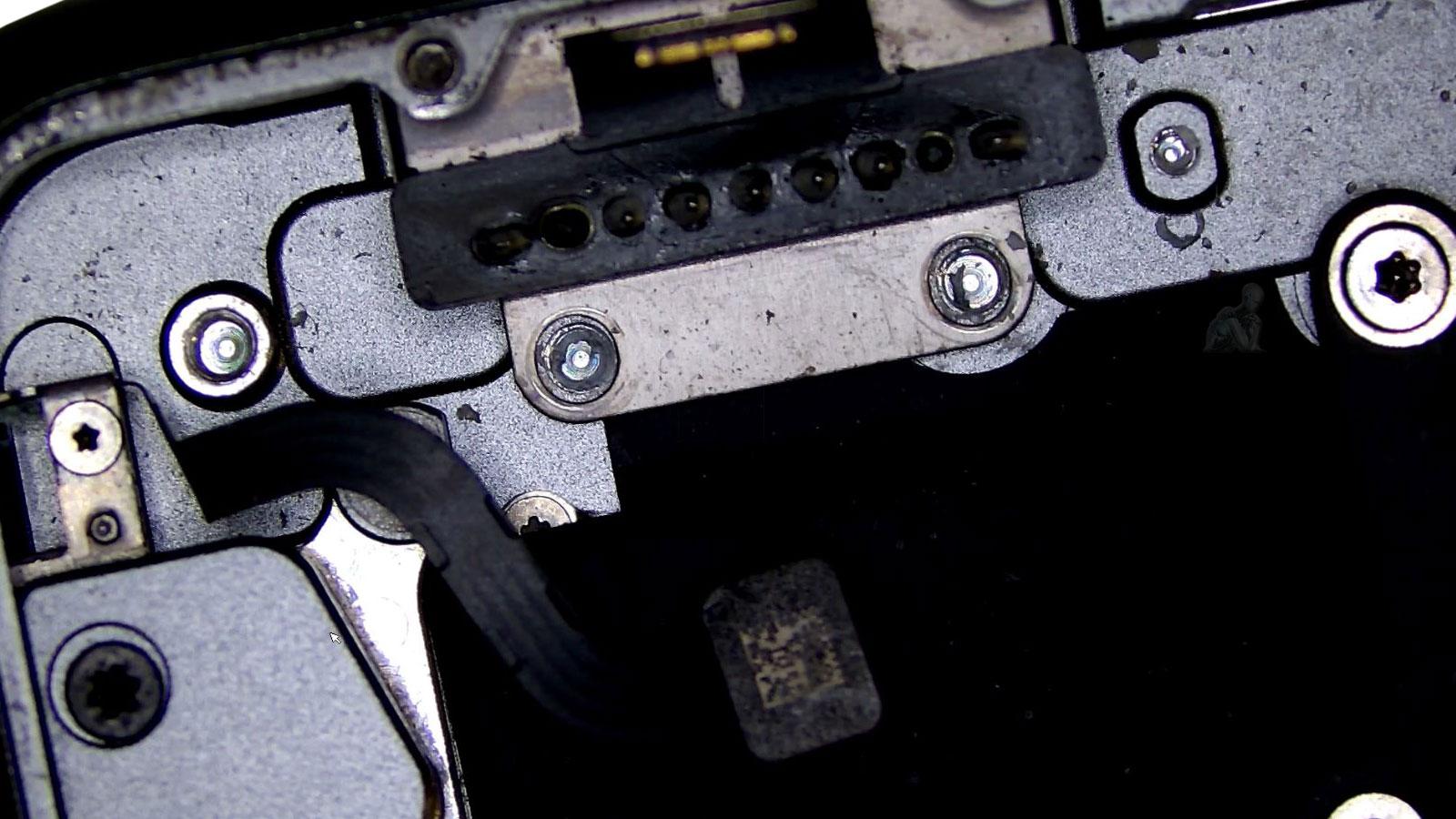
Component-Level Cleaning and Board Restoration
Liquid exposure initiates electrochemical reactions that compromise the integrity of conductive surfaces and solder joints across the logic board. Residues left behind can form conductive paths between adjacent pins, alter resistance characteristics, and accelerate oxidation within connectors and component interfaces. Effective cleaning at the component level requires more than surface treatment, it involves controlled removal of contaminants from critical areas such as fine-pitch connectors, power management circuitry, and densely populated sections of the board where corrosion can propagate beyond visible damage.
Board restoration focuses on stabilizing these affected regions to reestablish proper electrical behavior. This includes addressing compromised contacts, reinforcing weakened solder joints, and ensuring that signal and power pathways are no longer influenced by residual contamination. Each stage is performed with precision to avoid disturbing surrounding components or introducing additional stress to the board. The objective is to return the logic board to a condition where it can operate reliably, free from the progressive effects of liquid-induced degradation.
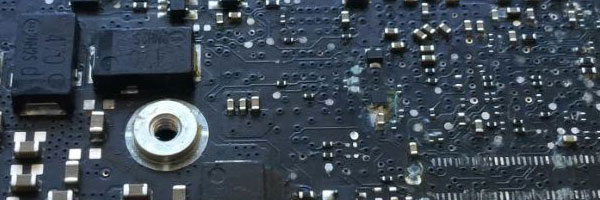
Common Effects of Liquid Exposure
System does not power on
Intermittent shutdowns or restart loops
Keyboard or trackpad malfunction
Charging or battery detection failure
Dim display or no video output
Overheating or abnormal power behavior
Corrosion on internal connectors or logic board traces
Symptoms may appear gradually and are often misdiagnosed as unrelated hardware faults.
Board Cleaning and Repair Procedures
Ultrasonic Board Cleaning
Specialized ultrasonic equipment is used to remove residue, minerals, and corrosion from the logic board and affected components without causing mechanical stress.
Component-Level Repair
Damaged chips, capacitors, resistors, and connectors are repaired or replaced directly on the board using micro-soldering techniques.
Circuit Integrity Testing
After cleaning and repair, voltage rails, data paths, and power behavior are tested to confirm stability.
System Reassembly and Validation
All major subsystems are tested, including input devices, display output, charging behavior, wireless connectivity, and thermal response.
Residual Contamination and Long-Term Board Behavior
After initial liquid exposure, contamination rarely disappears entirely, even when surface damage appears minimal. Microscopic residues can remain embedded between component leads, under integrated circuits, and within connector housings, where they continue to influence electrical behavior over time. These residues may not cause immediate failure, but can introduce gradual instability through increased leakage, inconsistent resistance, or delayed oxidation across critical contact points.
Understanding how residual contamination behaves is essential when assessing the reliability of a restored board. Even after cleaning, previously affected areas must be considered in terms of their long-term electrical stability, particularly in high-density regions where small variations can affect system performance. Addressing this layer of damage ensures that restoration is not limited to visible correction, but accounts for the underlying conditions that can evolve after the initial repair.
Liquid Damage Evaluation Process
Each device is fully disassembled and inspected to determine the extent of exposure. This includes:
Logic board surface and under-shield inspection
Connector and flex cable contamination checks
Battery, keyboard, and trackpad assessment
Power and charging circuit evaluation
This process establishes whether the damage is localized or system-wide.
MacBook Pro Models Supported
13-inch, 14-inch, 15-inch, and 16-inch MacBook Pro
Intel-based systems (2012–2020)
Apple Silicon systems (M1 and M2), evaluated per case
Retina, Touch Bar, and Magic Keyboard designs
Each model is handled according to its internal layout and board architecture.
Post-Liquid Exposure Considerations
Liquid damage often affects multiple components beyond the logic board. When applicable, further evaluation may include:
Battery condition and swelling
Keyboard and trackpad reliability
Display backlight or panel damage
Storage integrity and data recovery feasibility
Repair options are determined only after the diagnostic process is complete.
Charging and Power Irregularities After Liquid Exposure
One of the most common outcomes of liquid exposure in a MacBook Pro is instability within the charging and power system. Even minor corrosion in power-related circuits or connectors can affect how the device responds to incoming voltage, leading to symptoms such as inconsistent charging, failure to power on, or sudden shutdowns under load. These issues are often not immediate and may develop progressively as corrosion advances.
Addressing power irregularities requires careful attention to the components involved in voltage regulation and distribution, as well as the condition of the charging interface itself. Residual contamination or weakened connections within these pathways can disrupt normal operation, even if the device appears functional at first. Ensuring stability in this area is critical, as unresolved power issues can lead to recurring failures or further damage over time.
Liquid exposure should be addressed as soon as there is any indication that moisture has reached the internal components of the MacBook Pro. This includes situations where the device continues to operate but shows subtle changes such as delayed startup, inconsistent input response, unusual heat patterns, or irregular charging behavior. Even when functionality appears normal, residue left behind can begin affecting electrical contact points over time, making early evaluation a critical step in preventing progressive damage.
A service request is also appropriate when the system has already stopped functioning or exhibits clear signs of internal corrosion, such as visible residue, failure to power on, or unstable operation after exposure. In these cases, acting without delay helps limit further deterioration and preserves the condition of affected components. You can submit a request with details about the incident or call directly to discuss the situation, allowing the next steps to be determined quickly and based on the actual state of the device.