
Computer Repair for Homes and Businesses
For many households and businesses in Miami and across Miami-Dade County, a computer is tied directly to daily responsibilities, communication, records, and routine work that cannot simply be paused when something starts going wrong. With more than 17 years of experience, we approach these situations with the understanding that a technical problem often brings frustration, lost time, and uncertainty about what is actually causing the issue. Each case is handled with careful attention and a practical mindset, with the objective of replacing confusion with clarity and restoring the system to a stable, usable condition for everyday use.
Common Computer Problems We Fix
Problems with performance, startup, connectivity, and power can interrupt important tasks without much warning. A device may begin freezing during simple activity, running hotter than normal, showing error messages, or taking far too long to load programs and files. In some cases, a computer may suddenly shut down, fail to connect to Wi-Fi, stop recognizing external devices, or display a black screen with no clear explanation. These issues often signal underlying trouble with software, storage, memory, cooling, or other internal parts.
Other common concerns include battery drain, damaged charging ports, loud fan noise, update failures, corrupted files, and systems that no longer respond the way they should. Some machines develop instability from malware, driver conflicts, worn components, or operating system problems that build up over time. A careful diagnostic approach makes it possible to identify the real source of the malfunction and improve reliability, speed, and overall function without relying on guesswork.
Mac and PC Repair Services
Work on Apple and Windows computers can include hardware repair, storage upgrades, operating system installation or reinstallation, and general system improvement aimed at restoring stability and usability. The process focuses on identifying the underlying issue and applying the appropriate solution without unnecessary changes. More detailed information is available in our PC repair, laptop repair, and Mac repair sections.
Performance-oriented repair and build work for gaming systems is also included. That includes custom gaming PC builds, repair of gaming desktops, repair of gaming laptops, and routine internal maintenance such as dust removal, cleaning, and thermal service to help gaming hardware operate more reliably under load.
Technical Support for Homes and Small Businesses
Support in home and small business environments focuses on maintaining stable system behavior, reliable connectivity, and consistent day-to-day operation. Issues are evaluated based on how devices interact within their actual setup, including network conditions, connected equipment, and user activity.
For small businesses, this can involve maintaining workstation reliability, ensuring access to essential data, and supporting basic operational continuity. The emphasis remains on resolving issues in a way that reflects how the systems are used in real working conditions.
Remote support is available when an on-site visit is not necessary, allowing software-related problems to be diagnosed and resolved through secure remote access.
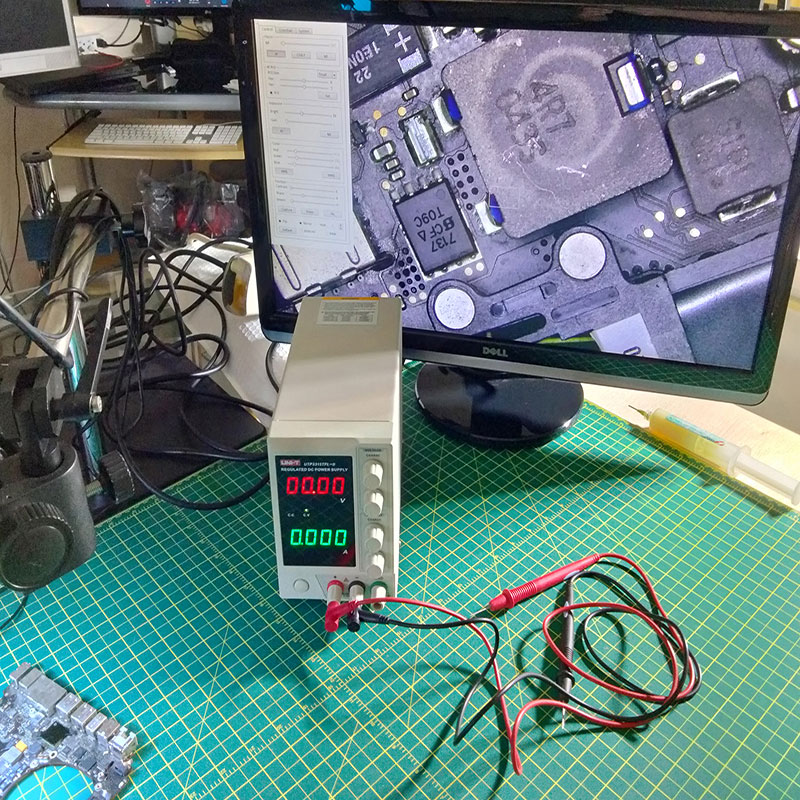
Bench Power Supply
Helps isolate shorts, test voltage behavior, and check how a board responds under controlled power.
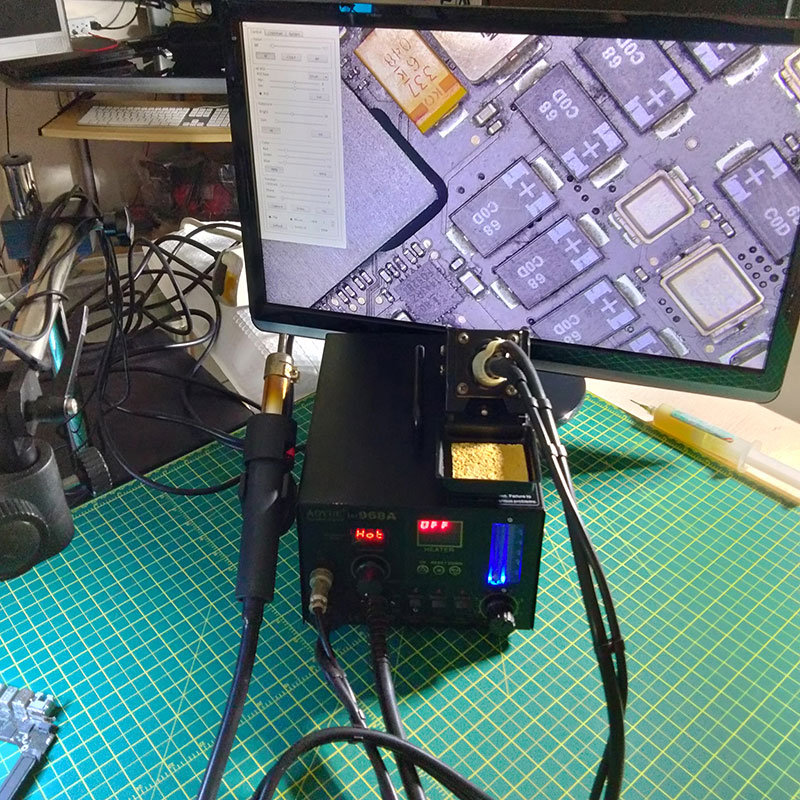
Hot Air Station
Essential for removing and replacing surface-mounted components during board-level repair.
Inspection Microscope
Makes it possible to examine solder joints, trace damage, and tiny components with much greater precision.
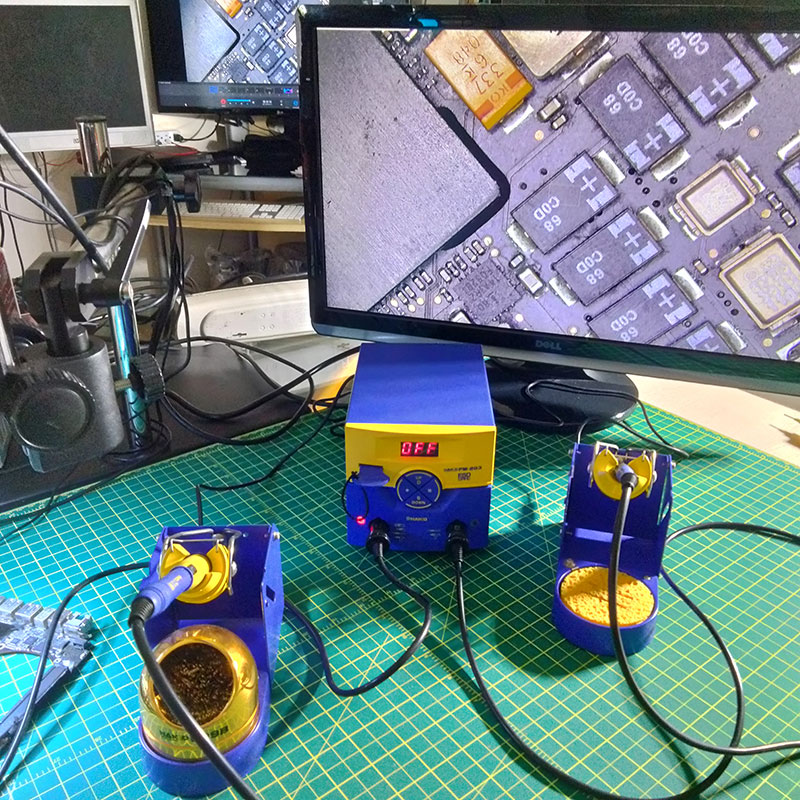
Hakko Soldering Station
Provides stable heat control for connector work, component replacement, and fine solder correction.
On-Site and In-Home Computer Repair Services
Situations involving multiple devices, fixed workstations, or environment-dependent problems are often easier to assess at the location where the equipment is normally used. Evaluating the setup in place makes it easier to identify conditions involving network behavior, connected peripherals, or local device interaction that may not appear once the computer is removed from its normal setting.
This approach is especially relevant when the problem is tied to how the system functions within its environment rather than to the machine alone, allowing a more accurate diagnosis based on real usage conditions.
Our Approach to Computer Repair
Each repair begins with a diagnostic process to determine the actual cause of the problem rather than relying on assumptions. Symptoms such as slow performance, startup failure, or instability are examined in context to identify whether the issue is related to software, hardware, or a combination of both.
Once the source of the problem is identified, the appropriate solution is applied with attention to avoiding unnecessary replacements or changes. This approach helps maintain system integrity while restoring stability and performance across both older desktop systems and newer devices.
A breakdown should not force you to reorganize the entire day. Complimentary pickup and delivery help make the process easier from the beginning. Once service is scheduled, collection, repair, and return are coordinated for you.
How the process works:
Schedule a pickup
A quick call is all it takes, and arrangements are made to collect your device from your home or office.
Diagnosis and repair
The fault is identified, the available options are explained, and the required work is carried out carefully.
Safe return
Once everything has been checked, the machine is returned ready for use.
How long does a typical repair take?
Most repairs are completed within 24 to 48 hours. Turnaround time depends on the nature of the repair and whether specific parts are required.
Do you work on gaming PCs?
Yes. Gaming desktops are fully supported, including systems with custom components, performance tuning, and liquid cooling setups.
Is data recovery possible from a failed hard drive?
In many situations, yes. Specialized recovery tools and techniques are used to retrieve data from drives that are damaged, corrupted, or no longer detected.
Do you service older computers?
Absolutely. Support extends from legacy desktop systems to modern laptops and ultrabooks, as long as the repair is technically viable.
Can issues be fixed without replacing major components?
In many cases, yes. Targeted repairs or adjustments can resolve the problem without requiring full component replacement, depending on the condition of the system.
Do you need to open the computer to diagnose the issue?
In many cases, yes. Internal inspection allows accurate identification of faults related to power, cooling, storage, or board-level components.
Can software issues cause hardware-like symptoms?
Yes. Operating system errors, driver conflicts, or malware can mimic hardware failures, which is why proper diagnostics are essential.
Do you repair motherboard and board-level issues?
Yes. Board-level diagnostics and repair are performed when the issue involves power circuits, shorted components, or failed chips.
Is overheating a serious problem for computers?
Yes. Excess heat can affect performance, cause shutdowns, and damage internal components over time if not addressed.
Will I be informed before any repair is completed?
Yes. The issue is explained clearly along with available solutions before any work moves forward.
Can multiple issues be addressed in a single service?
Yes. If more than one problem is identified, they can be handled together when appropriate to restore full system stability.
Do you offer pickup and delivery for repairs?
Yes. Devices can be collected and returned as part of a coordinated service process.
Is remote support available for certain problems?
Yes. Many software-related issues can be diagnosed and resolved through a secure remote session without requiring physical handling.
What to Expect When You Work with Us
The process is intended to be clear and predictable from the first contact through the completion of the repair. The issue is described, examined, and understood before any work begins, so that the cause of the problem and the available options are defined early.
Once the condition of the system is confirmed, the appropriate solution is carried out with attention to what is necessary and what can be avoided. This helps prevent unnecessary changes while restoring normal operation.
After the work is completed, the system is tested to confirm stability and returned in a usable state, with no uncertainty about what was done or why.
Device showed no power response under any condition. Fault was traced to a board-level issue affecting power delivery. After repair, the system powered on normally and operated without instability.
Get in Touch
If a slow or malfunctioning computer is interfering with your work or daily routine, help is close by. Call to schedule service and speak directly with a technician. You can expect clear communication, realistic timelines, and no unnecessary steps.