
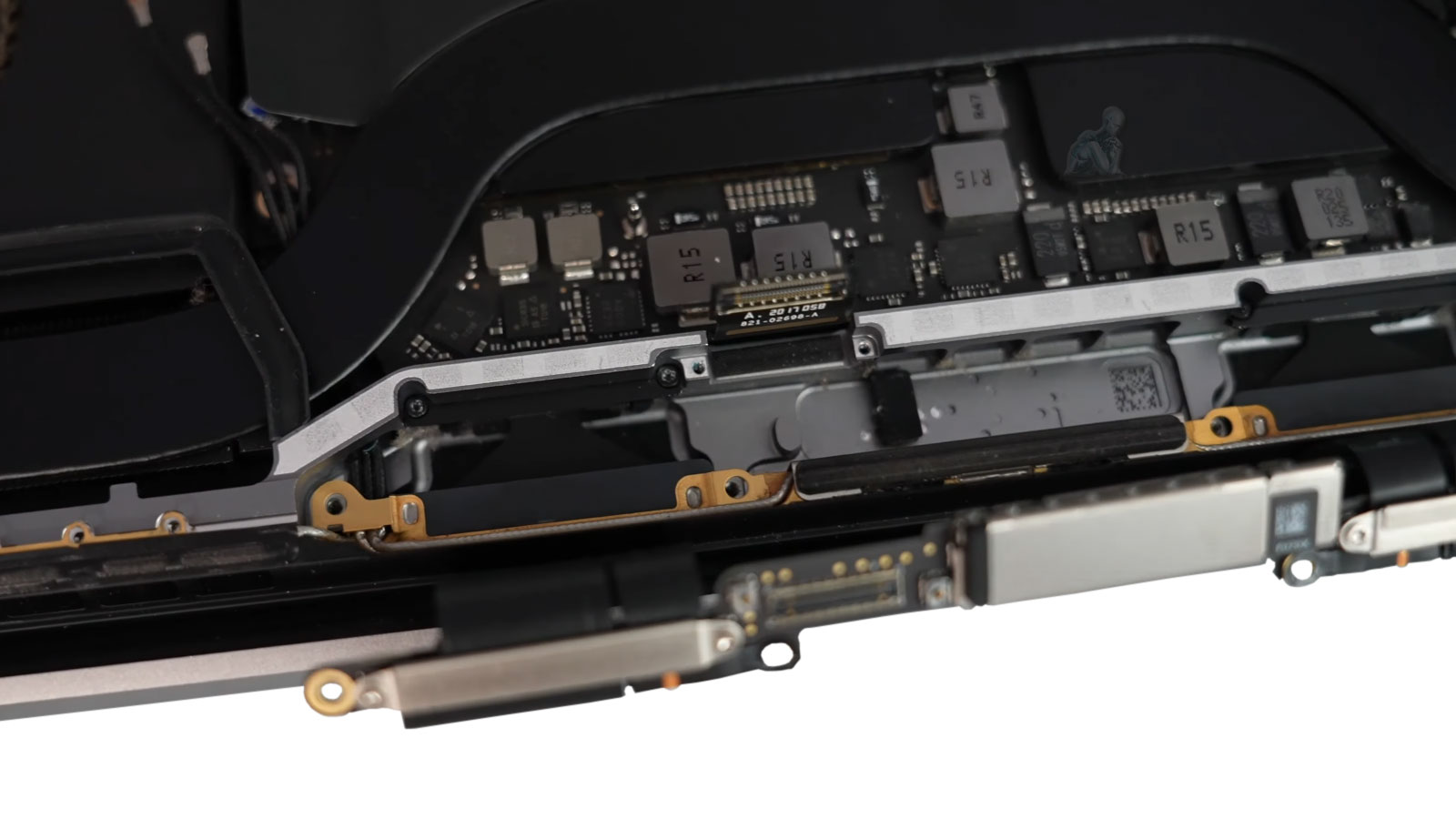
Professional Display Replacement and Visual Integrity Restoration
Display-related failures on a MacBook Pro extend beyond visible damage such as cracks or dead pixels. The screen assembly functions as a unified system that includes the panel, backlight, display cable, and control circuitry, all of which must operate in precise coordination to produce a stable image. Distortions, flickering, or complete loss of display output can originate from any point within this chain, making accurate assessment essential before proceeding with replacement. Understanding how these elements interact ensures that the source of the issue is correctly identified and that the replacement addresses the full scope of the problem.
Restoring visual integrity requires more than installing a new display component. The replacement process must ensure proper alignment, secure connection of the display interface, and consistent communication between the screen and the logic board. Attention is given to maintaining uniform brightness, accurate color rendering, and stable image output under varying conditions. The objective is to return the MacBook Pro to a state where visual performance is reliable, consistent, and fully aligned with the system’s original display characteristics.
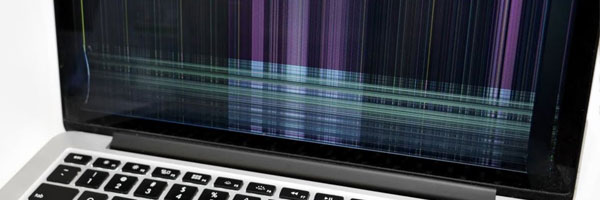
Common Screen and Display Issues
Screen repair or replacement is typically required when a MacBook Pro shows:
- Cracked or shattered display glass
- No image while the system powers on
- Flickering, ghosting, or uneven brightness
- Vertical or horizontal lines
- Dead pixels or color distortion
- Backlight failure or dim display
- Liquid exposure affecting the display assembly
- Intermittent image loss caused by internal connectors
Many of these symptoms may appear similar, which is why proper evaluation is essential before replacing components.
Supported MacBook Pro Models
Screen repair applies to all major MacBook Pro generations, including:
- 13-inch, 14-inch, 15-inch, and 16-inch models
- Intel-based systems
- Apple Silicon systems including M1 and M2
- Retina and Liquid Retina XDR displays
- Touch Bar and non Touch Bar configurations
Each model uses a different display architecture, which is accounted for during replacement.
Post-Installation Image Calibration and Output Consistency
Once a new display assembly is installed, the system must be evaluated to ensure that image output meets expected performance standards. This includes verifying brightness uniformity, color accuracy, and the absence of visual artifacts such as flickering, ghosting, or uneven backlight distribution. Even minor inconsistencies can indicate connection issues, panel irregularities, or signal instability that must be addressed before the repair can be considered complete.
Output consistency is also assessed across different usage conditions, including changes in brightness levels, application transitions, and prolonged operation. This ensures that the display performs reliably in real-world scenarios, maintaining stable visual output without degradation. The objective is to confirm that the replacement integrates seamlessly with the system and delivers consistent visual performance over time.
Screen Repair Scope and Process
Screen repair begins by identifying whether the issue lies within the display panel, backlight system, internal cabling, or graphics output. Once confirmed, the damaged display assembly is removed and replaced with a model-specific, high-quality screen matched for resolution, size, and brightness.
After installation, the display is tested for image consistency, brightness uniformity, color accuracy, and True Tone functionality where supported. The goal is to restore the screen to factory-level visual performance without introducing compatibility issues.
Display Assembly and Component Differences
MacBook Pro display systems vary by model generation and construction. Older models may allow separation between the outer glass layer and the internal LCD panel, while modern Retina and Liquid Retina displays use a fused assembly where the entire screen must be replaced as a single unit. Determining the correct repair method depends on whether the damage affects only the surface glass, the image-producing panel, or the full display assembly.
Pre-Replacement Display Path Assessment
Before proceeding with a display replacement, it is necessary to confirm that the issue originates within the screen assembly rather than elsewhere in the system. This involves evaluating the display signal path from the logic board to the panel, including the condition of the display connector, cable routing, and output behavior under controlled conditions. Certain symptoms, such as no image or inconsistent output, can be linked to underlying board-level faults or connection irregularities rather than the panel itself.
Accurate assessment at this stage prevents unnecessary replacement and ensures that the selected repair approach addresses the actual source of the failure. By isolating the display assembly from the rest of the system and verifying its response independently, it becomes possible to determine whether replacement is required or if corrective work is needed elsewhere within the device.
Structural Alignment and Hinge-Related Stress Considerations
The display assembly is mechanically linked to the MacBook Pro through the hinge system, making structural alignment a critical factor in long-term reliability. Improper alignment during installation can introduce uneven stress on the display cable and connector, particularly during repeated opening and closing of the device. Over time, this can lead to signal interruption, image instability, or premature failure of newly installed components.
Display issues on a MacBook Pro rarely remain static. What begins as minor distortion, intermittent flickering, or partial image loss can develop into complete display failure as underlying components continue to degrade. Strain within the display cable, instability in backlight control, or disruption at the connector level can progressively worsen with regular use, especially as the device is opened and closed. Addressing the issue early helps prevent additional stress on related components and reduces the likelihood of secondary faults developing within the display system.
If the current condition is affecting usability or showing signs of progression, you can submit a request with details about the behavior or reach out by phone to move forward without delay. Providing a clear description of the issue allows the situation to be assessed efficiently and the next steps to be defined with precision. The priority at this stage is to stabilize the condition of the device and restore consistent display performance through a controlled and well-defined approach.