
Laptop GPU and Video Repair for Clear, Stable Graphics
Clear and stable graphics output depends on the proper operation of the laptop’s GPU and its supporting circuitry. When visual issues begin to appear, such as display artifacts, distortion, or intermittent signal loss, they often indicate underlying problems within the graphics processing system. These conditions may be related to thermal stress, degraded solder connections, or faults within the video chipset itself, requiring a detailed and methodical approach to evaluation.
Addressing GPU and video-related issues involves careful analysis of both the processing unit and its thermal environment. The condition of cooling components, thermal interfaces, and power delivery pathways plays a significant role in maintaining consistent graphical performance. By focusing on accurate diagnosis and controlled repair procedures, it becomes possible to restore reliable visual output and ensure that the system operates within stable and expected parameters.
Common Laptop GPU and Video Issues We Repair
Laptop graphics problems can present in many ways, including:
- Screen flickering, tearing, or color distortion
- Random freezing or restarts during gaming or video playback
- Laptop powers on but shows no image
- Black screen after startup despite visible power indicators
- Overheating or loud fan activity during light use
- Visual artifacts, blocks, or lines appearing on the display
These symptoms usually point to underlying hardware failure that should be addressed early to prevent further damage.
Thermal System Restoration and Cooling Efficiency
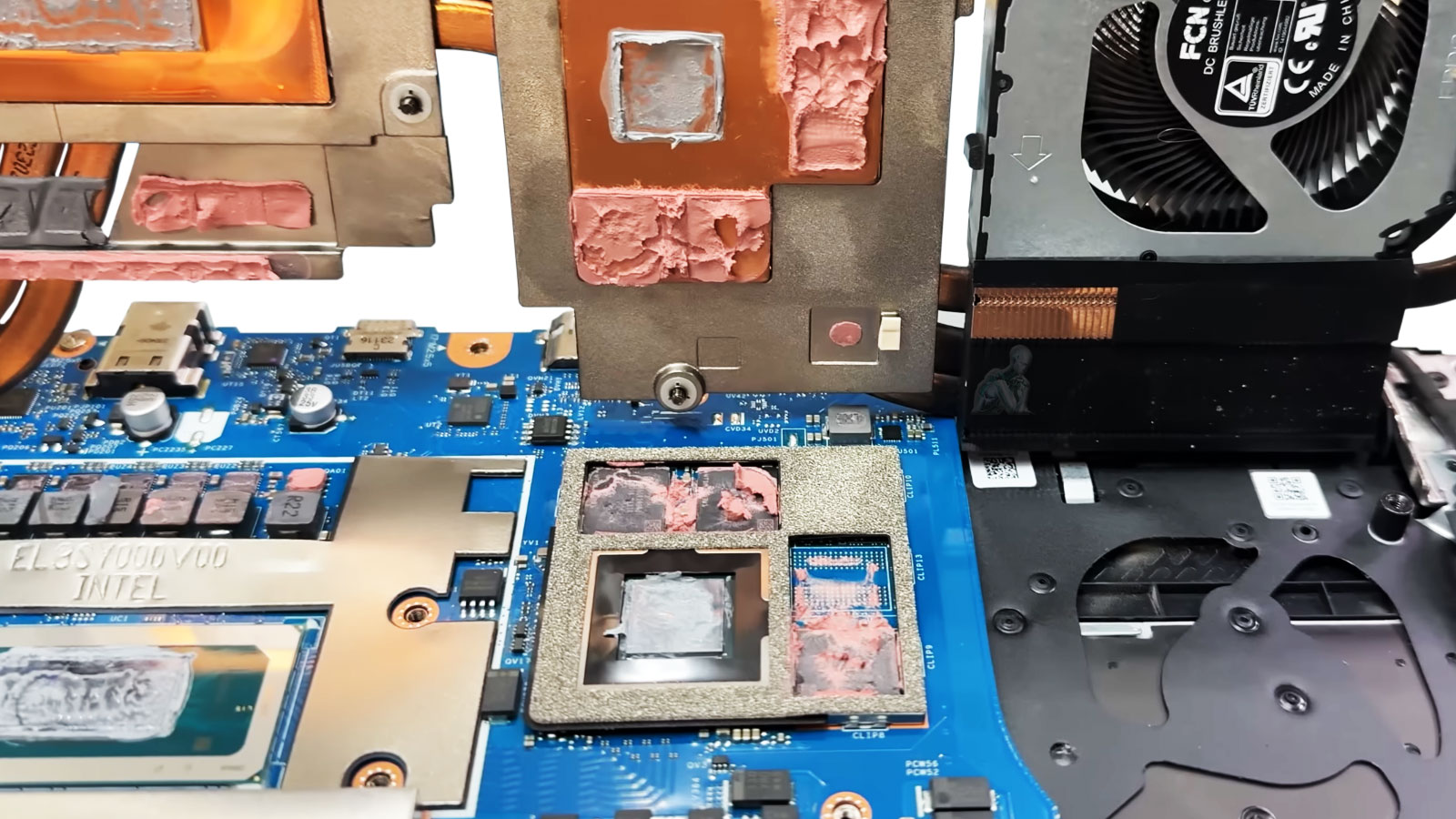
The performance and longevity of a laptop GPU are closely tied to the effectiveness of its cooling system. Over time, thermal paste can degrade and thermal pads may lose their ability to maintain proper contact, reducing heat transfer efficiency. This can lead to elevated temperatures, unstable graphics performance, and increased stress on the video chipset during normal operation.
Restoring the thermal system involves cleaning existing materials, reapplying appropriate thermal compounds, and ensuring proper alignment between the GPU and heatsink assembly. Maintaining efficient heat dissipation helps stabilize operating conditions, supports consistent graphical output, and reduces the likelihood of recurring thermal related issues.
Supported Laptop Models and Graphics Systems
Video and GPU repair services are available for laptops from all major manufacturers, including:
- Apple MacBook Pro models with discrete AMD or NVIDIA graphics
- Dell Alienware, XPS, and gaming series laptops
- HP Omen, Pavilion, and EliteBook systems with dedicated GPUs
- Lenovo Legion and ThinkPad workstation models
- ASUS ROG, MSI, Acer Predator, and other performance laptops
These services support laptops used for gaming, content creation, CAD, engineering, and professional video work.
Why Clients Choose Us for Laptop Video Repairs
- Over 17 years of experience repairing laptop GPU and video hardware
- Technicians skilled in micro-soldering and board-level repair
- Solutions for issues other shops often recommend replacing instead
- Clear estimates and honest repair guidance
- Same-day diagnostics available in many cases
- Open seven days a week
The focus is restoring reliable graphics performance without unnecessary replacement.
Our Laptop GPU and Video Repair Process
Comprehensive Video System Diagnostics
The GPU, video memory, power delivery circuits, thermal sensors, and display output connections are tested to identify the exact source of failure.
GPU Reflow or Reballing (Model Dependent)
When solder joint failure is detected, controlled reflow or reballing procedures are performed using professional BGA equipment to restore proper electrical connections.
Component-Level Graphics Circuit Repair
Faulty VRAM chips, MOSFETs, or GPU power components are repaired or replaced to restore stable video output and synchronization.
Thermal System Optimization
Cooling systems are cleaned, thermal compound is replaced on GPU and CPU surfaces, and airflow is inspected to prevent recurring heat-related failures.
Each repair is completed with stability testing to ensure reliable performance under load.
Board-Level GPU Fault Analysis
GPU related failures are not always limited to the graphics chip itself and may involve surrounding circuitry responsible for power delivery and signal processing. Detailed board-level analysis allows for the identification of faults such as damaged components, irregular voltage behavior, or compromised solder connections within the graphics subsystem.
By isolating these issues through structured testing and inspection, it becomes possible to determine the precise source of the problem. This approach supports targeted repair decisions and helps ensure that corrective actions address the root cause, contributing to stable and reliable GPU operation after the repair is completed.
Free Pickup and Delivery Included
To make repairs as convenient as possible:
- Your laptop is picked up from your home or office
- Diagnostics and repairs are completed in a controlled environment
- The system is returned fully tested and ready to use
Pickup and delivery is always included throughout Miami-Dade County at no additional cost.
Service Area
Laptop video repair services are available across Miami-Dade County, including Downtown Miami, Coral Gables, Brickell, Doral, Hialeah, Aventura, Kendall, Pinecrest, Cutler Bay, Homestead, North Miami, and surrounding areas.
If your laptop display is acting up or graphics performance has become unstable, professional diagnostics can identify the issue and restore smooth, reliable visuals.