
Prevent Overheating and Extend Laptop Lifespan
Over time, dust accumulation and restricted airflow can quietly interfere with a laptop’s ability to regulate temperature. Internal components such as the CPU and GPU depend on consistent cooling to operate within safe limits, and even a thin layer of debris can disrupt heat dissipation. As temperatures rise, systems may begin to throttle performance, reduce efficiency, or shut down unexpectedly to prevent damage. Regular cleaning and maintenance address these hidden issues by restoring proper airflow and ensuring that thermal pathways remain unobstructed.
Maintaining optimal operating temperatures plays a critical role in preserving the longevity of a laptop’s internal hardware. Excess heat accelerates wear on sensitive components, including processors, power delivery circuits, and storage devices. By keeping cooling systems clear and functional, the risk of long term degradation is reduced, allowing the device to perform reliably over extended periods. Consistent maintenance not only supports stable operation but also helps sustain overall system responsiveness and durability.
What Laptop Cleaning and Maintenance Covers
Internal Dust Removal
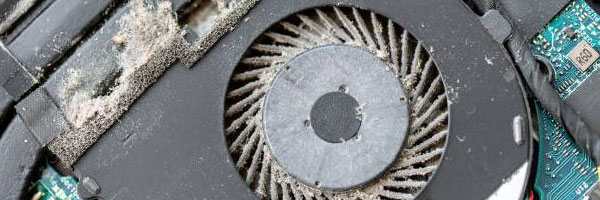
The laptop is safely opened and internal dust is removed from fans, heat sinks, vents, and the internal chassis. Clearing buildup improves airflow and helps prevent overheating-related damage.
Thermal Paste Renewal
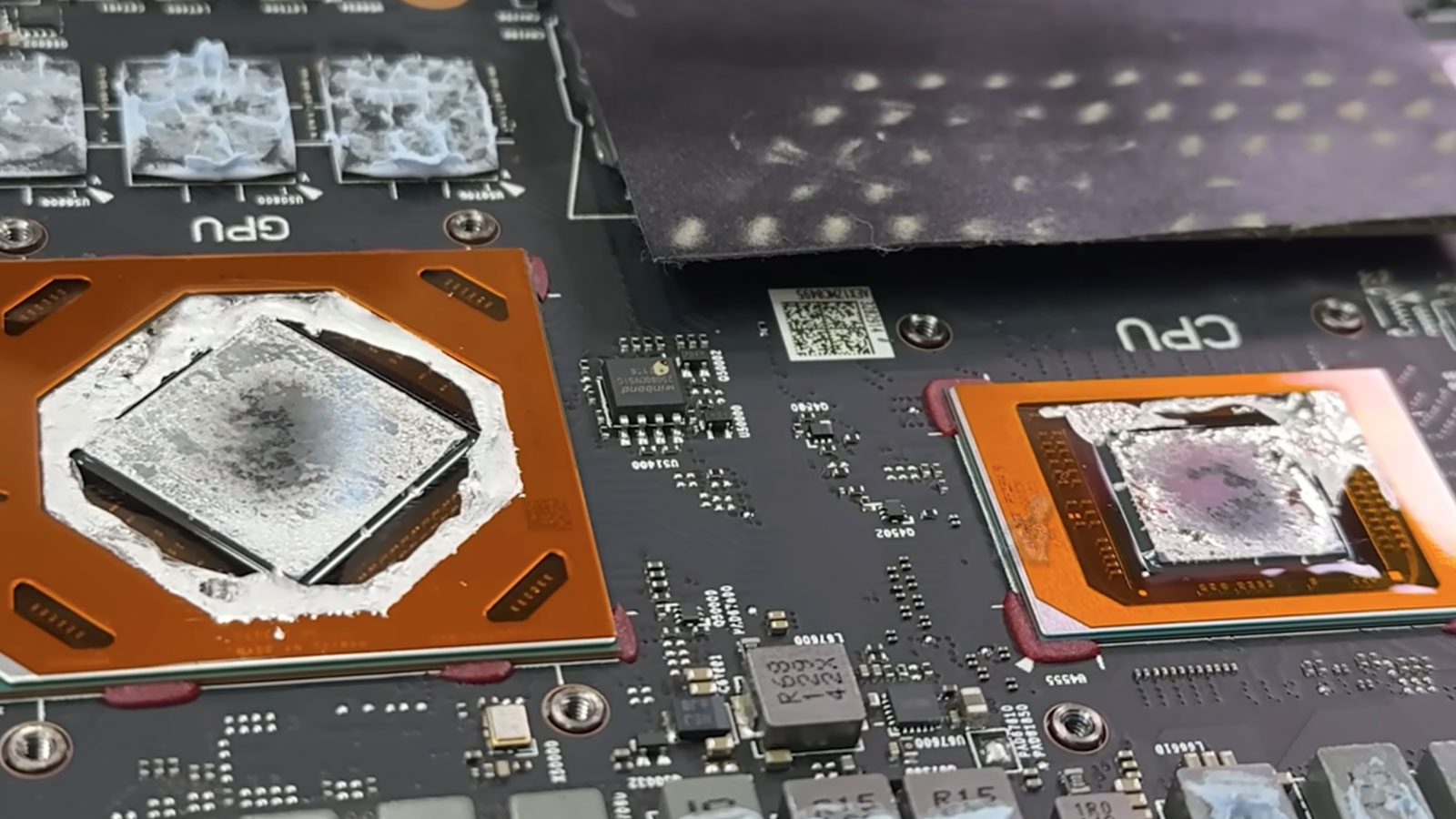
Old thermal compound is removed and replaced with a high-quality thermal paste on the CPU and GPU. This helps regulate temperatures and maintain consistent performance under load.
Cooling System Inspection
Cooling fans are tested for proper operation, noise levels, and airflow efficiency. If issues are found, recommendations are provided before they turn into failures.
System Health Check
Key system components are reviewed, including battery health indicators, storage drive condition, and operating system status. This helps identify early warning signs before they become serious problems.
Internal Component Inspection and Care
Beyond surface level cleaning, a thorough maintenance process includes careful inspection of internal components. Areas such as cooling fans, heat sinks, and motherboard regions are evaluated for dust buildup, residue, and early signs of wear. Attention is given to thermal contact points where heat transfer plays a critical role in system stability. Identifying and addressing these details helps maintain proper thermal performance and reduces the likelihood of overheating related issues.
Precision handling during internal care ensures that sensitive components remain protected throughout the process. Connectors, cables, and delicate circuitry are treated with caution to preserve their integrity. This level of attention supports consistent system behavior and helps prevent minor issues from developing into more significant hardware concerns over time.
Service Area
Laptop cleaning and maintenance is available throughout Miami-Dade County, including Brickell, Downtown Miami, Coral Gables, Doral, Hialeah, Aventura, Kendall, Pinecrest, Cutler Bay, Homestead, and surrounding areas.
Schedule Laptop Cleaning and Maintenance. Pickup and return delivery is available within Miami-Dade County when needed.
Why Routine Maintenance Makes a Difference
Reduces internal heat and fan noise
Helps prevent sudden shutdowns and thermal throttling
Extends the lifespan of internal components
Improves long-term system stability
Keeps laptops performing consistently over time
Preventative maintenance is especially important for laptops used daily for work, school, or gaming.
Thermal Management and Performance Stability
Effective thermal management is essential for maintaining stable laptop performance under varying workloads. Over time, thermal compounds can degrade, reducing their ability to efficiently transfer heat away from critical components. Evaluating and maintaining these thermal interfaces supports balanced temperatures and helps prevent unnecessary strain on processors and graphics units.
When cooling efficiency is preserved, systems are better able to sustain performance without sudden slowdowns or thermal throttling. This contributes to a smoother user experience, particularly during demanding tasks. Consistent attention to thermal conditions allows the laptop to operate within its intended performance range while minimizing internal stress.
Supported Laptop Brands and Systems
Apple MacBook, MacBook Air, MacBook Pro
Dell XPS, Inspiron, Latitude
HP Pavilion, Envy, Spectre
Lenovo ThinkPad, IdeaPad, Yoga
ASUS, Acer, MSI, Samsung, Razer, and others
This service applies to business laptops, student devices, ultrabooks, and performance-focused systems.
Preventive Maintenance Approach
Establishing a maintenance routine also allows for early detection of irregularities such as unusual heat patterns or airflow restrictions. Taking action at an early stage helps maintain system balance and extends the usability of the device. A proactive approach to care ensures that performance remains steady and that the laptop continues to function as intended over time.