
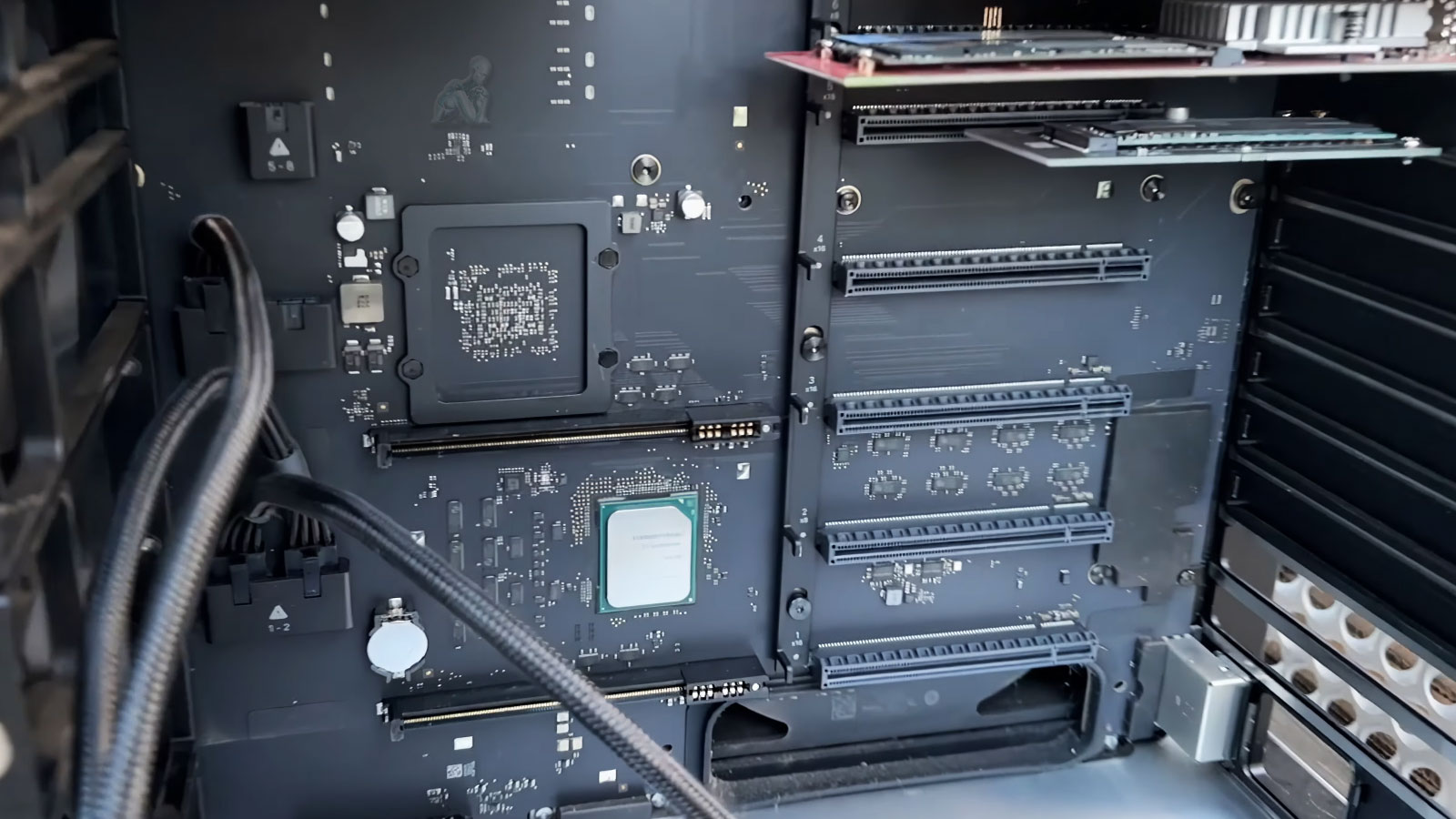
Expand Performance, Storage, and Graphics Without Replacing Your System
Extending the capabilities of a Mac Pro involves strategic hardware enhancements that align with the system’s original design while addressing evolving performance demands. Instead of replacing the entire workstation, targeted upgrades can elevate processing efficiency, increase storage throughput, and improve graphical output. This approach preserves the existing system foundation while introducing components that enhance responsiveness and expand operational capacity across professional workloads.
Each upgrade must be evaluated within the context of the Mac Pro’s architecture, taking into account compatibility, thermal balance, and power distribution. Integrating new hardware requires precise configuration to ensure that all components operate cohesively under sustained use. When implemented correctly, these enhancements allow the system to support more demanding applications and larger data sets, extending its functional lifespan while maintaining consistent and reliable performance.
Mac Pro Hardware Upgrade Options
All upgrades are planned around how the system is actually used, not generic benchmarks.
Memory (RAM) Expansion
- Increase memory capacity for heavy multitasking and real-time workloads
- Support for large project files, virtualization, and rendering
- Stability testing with macOS and professional applications
Storage Upgrades and Expansion
- Install high-speed internal SSDs or NVMe storage
- Expand total capacity for media libraries and project archives
- RAID configurations for speed, redundancy, or backup strategies
Graphics and MPX Module Upgrades
- GPU upgrades for rendering, video editing, 3D, and compute tasks
- Support for AMD Radeon Pro MPX modules and compatible PCIe GPUs
- External GPU (eGPU) configuration when applicable
PCIe and I/O Expansion
- Audio, video, capture, and networking expansion cards
- Thunderbolt, USB-C, and high-speed data interfaces
- 10GbE networking for shared storage and studio environments
Thermal and Performance Optimization
- Airflow evaluation and fan behavior optimization
- Thermal paste replacement where beneficial
- Quiet operation under sustained load
Mac Pro Upgrade Services Available Locally
Hardware upgrades are available for individual professionals, studios, and businesses throughout the Miami area, with options for in-store service, pickup and delivery, or on-site support depending on the setup.
Each service approach is adapted to the system’s configuration and working environment, allowing upgrades to be performed with minimal disruption to ongoing operations while ensuring that all components are installed and configured correctly.
Why Hardware Upgrades Make Sense
Extend the life of an expensive professional workstation
Avoid software migrations and workflow disruptions
Scale performance as project demands grow
Reduce electronic waste by maximizing existing hardware
The Mac Pro’s modular design exists for this exact purpose. Strategic upgrades can keep it competitive for years.
Supported Mac Pro Systems
Hardware upgrades are available for:
- Mac Pro Tower (2019 Intel)
- Mac Pro Cylinder (2013)
- Apple Silicon Mac Pro systems, including M2 Ultra
- Custom configurations with PCIe cards, RAID, and expansion modules
Each upgrade is evaluated for compatibility, thermal limits, and macOS support before installation.
Why Professionals Trust This Approach
- Experience with high-performance Mac Pro configurations
- Careful component selection to avoid instability
- Full system testing after every upgrade
- Data-safe procedures that protect existing installations
- Honest guidance focused on real performance gains
Upgrades are done with the mindset that downtime is costly and mistakes are unacceptable.
Upgrade Planning and System Compatibility Strategy
Effective hardware upgrades in a Mac Pro environment begin with a detailed evaluation of the system’s current configuration and its intended workload. Each component, from memory and storage to graphics and expansion interfaces, must be assessed in relation to the system’s architecture and firmware limitations. This planning phase ensures that selected upgrades are not only compatible, but also aligned with performance goals, avoiding imbalances that could limit efficiency or introduce instability.
A structured approach begins with reviewing the system’s current configuration and identifying the specific performance improvements being considered. This step helps define a clear upgrade path, whether it involves expanding storage, increasing memory capacity, or improving graphical capabilities. Once the scope is established, the work can be coordinated at a time that fits within the existing workflow, allowing updates to be completed efficiently while maintaining stability and proper integration across all components.