
Restoring Accurate Control and Reliable Input
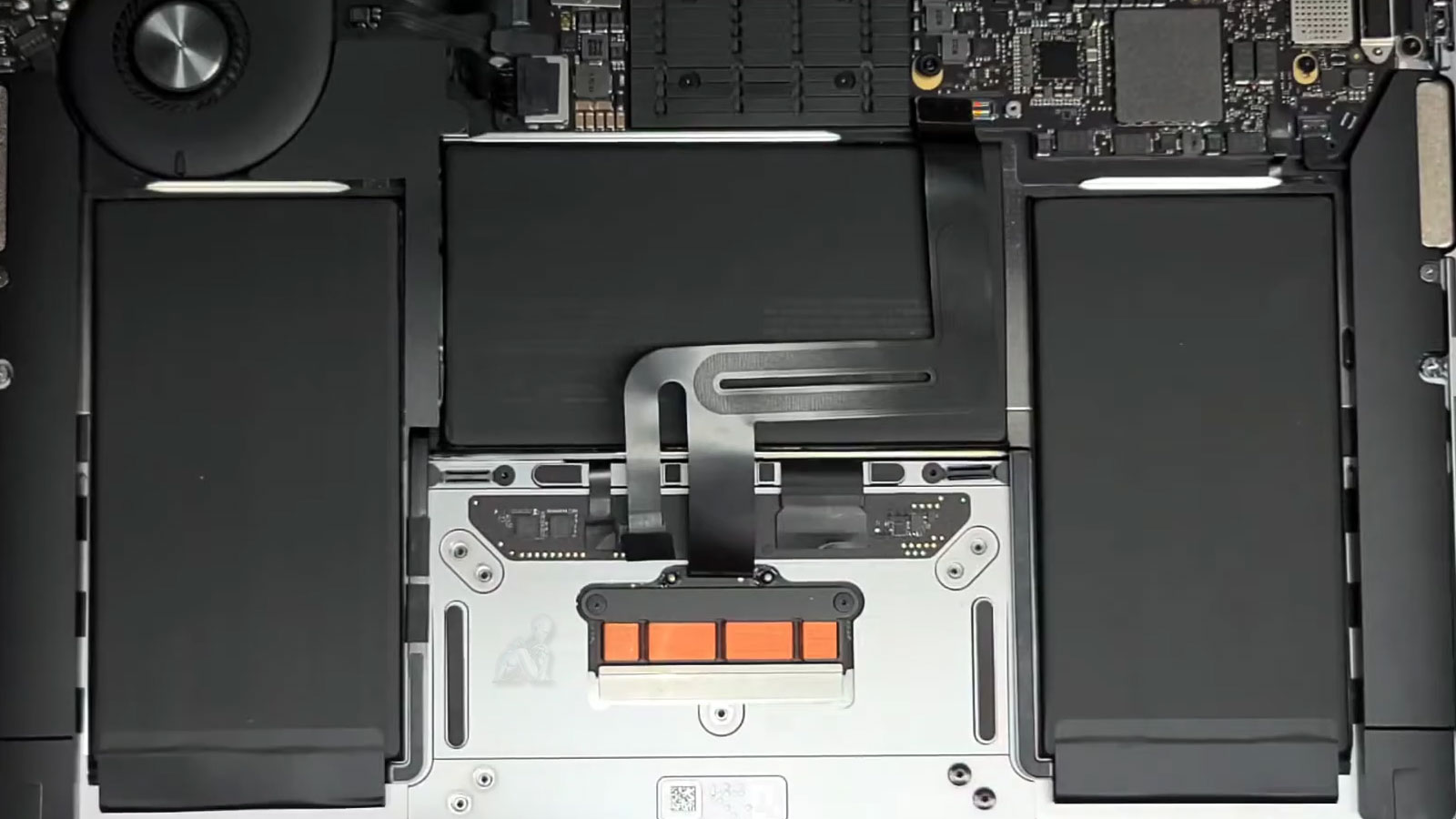
The trackpad is one of the most important interaction points on a MacBook Air. When it becomes unresponsive, erratic, or physically damaged, even simple tasks become frustrating. Trackpad failures can stem from mechanical wear, internal cable issues, battery swelling, or logic board related faults.
This service focuses on diagnosing the true cause of trackpad problems and restoring smooth, predictable input without unnecessary part replacements.
Common Trackpad Problems
Trackpad issues may present in several ways, including:
- Trackpad does not click or respond
- Cursor movement is erratic or delayed
- Gestures such as scrolling or zooming stop working
- Random clicks or unintended input
- Trackpad not detected by macOS
- Physical cracks or surface damage
- Trackpad failure caused by battery expansion
Because multiple components affect trackpad behavior, proper diagnostics are essential before repair.
Supported MacBook Air Models
Trackpad repairs are available for:
- MacBook Air with M1 and M2 processors
- MacBook Air Retina models
- Intel based MacBook Air systems
- Force Touch and standard trackpad designs
Each repair is matched to the exact model and generation to maintain proper behavior and reliability.
Trackpad Sensor Calibration and Input Signal Accuracy
The MacBook Air trackpad operates through a combination of pressure-sensitive sensors and precise signal interpretation, allowing it to detect movement, gestures, and click force with high accuracy. Any inconsistency within this system can result in erratic cursor behavior, delayed response, or uneven click feedback. Evaluating sensor calibration involves verifying how input pressure is translated into digital signals and ensuring that these signals are processed without distortion or delay.
Restoring input accuracy requires confirming both the mechanical stability of the trackpad surface and the integrity of its underlying sensor array. This includes assessing alignment, pressure distribution, and communication between the trackpad assembly and the logic board. By ensuring that sensor data is transmitted and interpreted consistently, the trackpad can deliver smooth, predictable interaction aligned with the system’s intended input performance.
Trackpad Repair Process
Hardware and Software Evaluation
The trackpad surface, internal connectors, and related logic board circuits are inspected. macOS settings and system recognition are also verified to rule out software-related causes.
Trackpad Replacement When Necessary
If the trackpad is physically damaged or electrically faulty, it is replaced with a model-matched part to ensure proper fit, sensitivity, and gesture response.
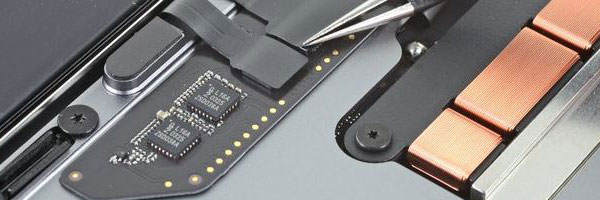
Connector and Flex Cable Repair
Some failures originate from damaged cables or connectors rather than the trackpad itself. These are repaired or replaced when applicable.
Battery Condition Check
Swollen or failing batteries can interfere with trackpad operation. If battery pressure is contributing to the issue, this is identified and discussed before proceeding.
Functional Testing
After repair, all gestures, click functions, sensitivity levels, and cursor accuracy are tested to confirm consistent performance.
Why Proper Diagnosis Matters
Trackpad problems are often misdiagnosed. Replacing parts without identifying the real cause can lead to repeat failures or unnecessary cost.
- Accurate fault isolation
- Repair only what is required
- Preserve original system integrity
- Avoid unnecessary component replacement
This approach prioritizes long-term usability instead of temporary fixes.
Mechanical Alignment and Click Response Consistency
The tactile performance of a MacBook Air trackpad depends on precise mechanical alignment and uniform pressure distribution across its surface. Any deviation in mounting position, internal support structure, or surrounding components can affect how force is applied and perceived during interaction. This may result in uneven click feedback, areas of reduced sensitivity, or inconsistent physical response that impacts overall usability.
If your MacBook Air trackpad is unreliable, unresponsive, or physically damaged, a professional evaluation can determine the safest and most effective repair path. Early diagnosis helps prevent additional issues and restores normal daily use more quickly.