
Improving Performance Without Replacing the System
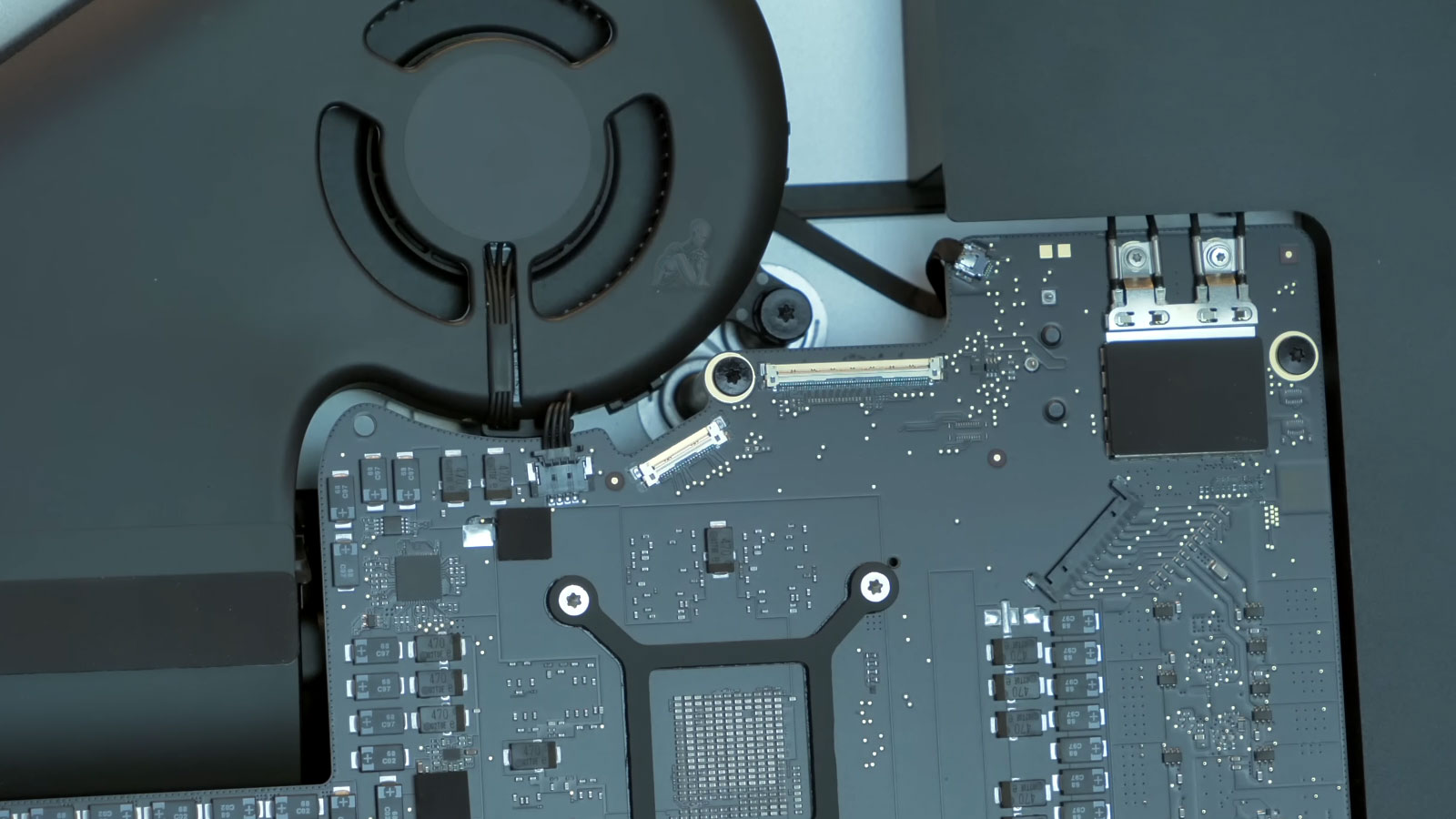
Upgrading internal components allows an iMac to extend its usable life while adapting to evolving performance demands. As software requirements increase and workloads become more resource intensive, existing configurations may no longer deliver the responsiveness or efficiency expected from the system. Targeted hardware upgrades provide a practical way to address these limitations by improving key areas such as storage speed, memory capacity, and overall system throughput.
This process involves evaluating the current configuration and identifying components that can be enhanced within the design limits of the iMac. Differences between model generations, internal architecture, and firmware support must be carefully considered to ensure compatibility and stability. When upgrades are properly aligned with the system’s capabilities, the result is a noticeable improvement in performance while maintaining the integrity of the original hardware platform.
Common Reasons to Upgrade an iMac
Slow startup or delayed application launches
System lag when multitasking
Storage capacity no longer meeting daily needs
Creative or professional software pushing hardware limits
Desire to extend usability without migrating to a new system
Upgrading the right components can restore fluid performance and improve long-term reliability.
Compatibility Considerations
Upgrade capabilities vary by iMac generation and internal design.
Some newer systems have limited or fixed hardware configurations.
Each system is evaluated individually to determine what upgrades are feasible and worthwhile.
Clear guidance is provided before any work is performed.
Performance Benchmarking Before and After Upgrades
Evaluating system performance before and after a hardware upgrade provides measurable insight into how the changes affect overall operation. Baseline observations may include startup time, application responsiveness, file transfer speed, and general system behavior under typical workloads. Establishing these reference points allows improvements to be quantified rather than assumed.
After the upgrade is completed, the same performance indicators can be reviewed to confirm that the system is operating more efficiently. This comparison helps verify that the selected components and configuration adjustments are delivering the intended results. Consistent benchmarking ensures that upgrades are not only installed correctly but also contributing to a more stable and responsive computing experience.
Service Area
Hardware upgrade services are available throughout Miami-Dade County, including Downtown Miami, Coral Gables, Brickell, Doral, Kendall, Pinecrest, Aventura, Homestead, and surrounding areas.
Logistics and system transport options can be discussed during scheduling.
Upgrade Options Available
Storage Upgrades
Mechanical hard drives and Fusion Drives can be replaced or converted to solid-state storage, improving boot times, file access, and overall system responsiveness. SSD options vary by model and internal configuration.
Memory Expansion
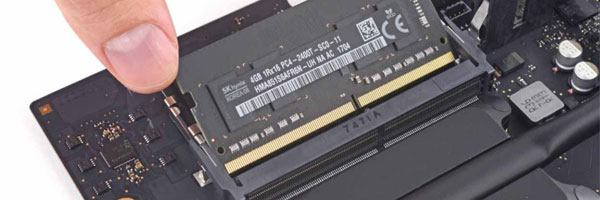
RAM upgrades allow the system to handle more simultaneous tasks without slowdown. This is particularly beneficial for design software, development environments, and media workflows.
Graphics Improvements
For supported Intel-based models, discrete GPU upgrades or external GPU configurations may be evaluated for graphics-intensive workloads such as video editing or 3D rendering.
Thermal and Stability Optimization
On supported systems, cooling performance can be improved through internal servicing and configuration adjustments, helping maintain stable operation under sustained load.
Upgrade Limitations and System Design Constraints
While many iMac components can be enhanced, each model has specific design limitations that determine what can and cannot be upgraded. Factors such as internal layout, soldered components, firmware restrictions, and thermal capacity influence the range of possible improvements. Understanding these constraints is essential to avoid incompatible configurations or unrealistic performance expectations.
Careful evaluation of these limitations ensures that upgrades remain within the system’s supported parameters. This includes selecting compatible memory types, storage interfaces, and component specifications that align with the iMac’s architecture. Working within these boundaries allows upgrades to be implemented safely while maintaining system stability and long term reliability.
Supported iMac Models
iMac 21.5-inch and 27-inch models (2012–2020)
iMac Retina 4K and 5K
iMac Pro
Intel-based iMac systems
Apple Silicon iMacs evaluated individually due to architectural limitations
If your iMac is no longer meeting performance expectations, you can request an evaluation using the contact us page or by calling directly for a more efficient and immediate response. Providing your model year and current concerns helps determine which upgrades are appropriate and cost-effective, while a direct call can help streamline the process and clarify details more quickly.