
Technical Service for Sweetwater Systems and Environments
In Sweetwater, Florida, computers are part of daily routines, used for work, communication, school, and business operations. When something goes wrong, even a small issue can interrupt that flow and create unnecessary delays. Our computer repair service focuses on getting systems back into a usable, dependable state without overcomplicating the process. Whether it is a device that stopped working suddenly or one that has been slowing down over time, the priority is to restore normal operation, so it fits back into your routine without friction. Each case is handled with attention to how the device is actually used, making sure the result is not just a temporary fix but something that holds up during everyday use.
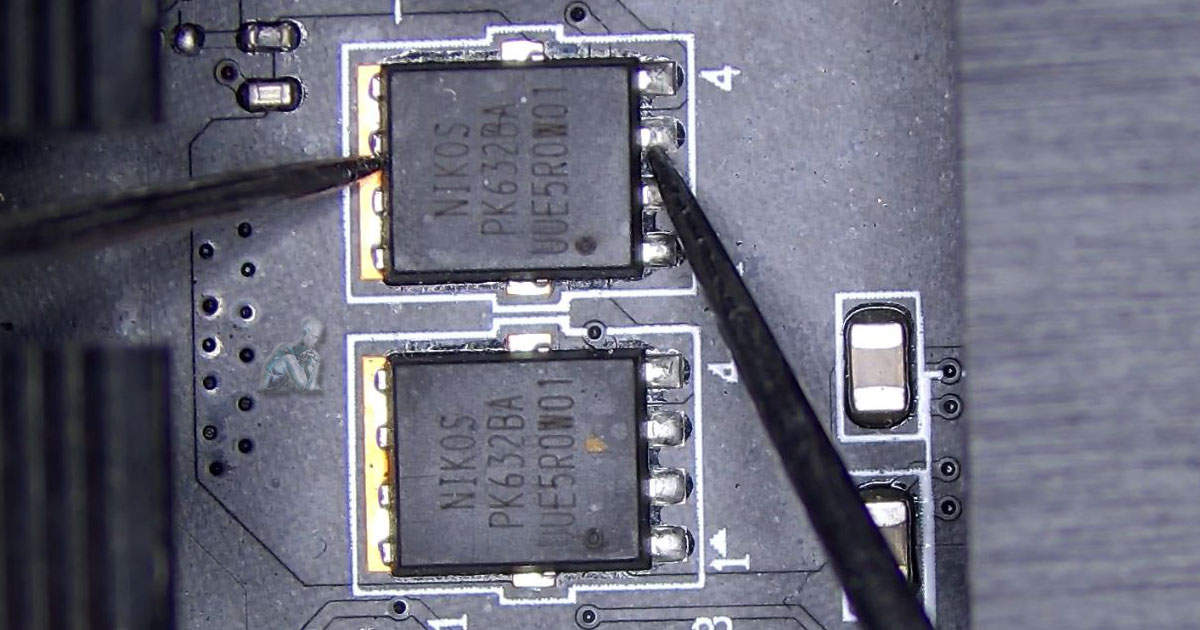
Computer Repair Services in Sweetwater
Some systems show immediate signs of failure, while others develop gradual issues that affect speed, reliability, or overall usability. By looking at how the system behaves over time, it becomes easier to understand what is affecting performance and where adjustments or corrections need to be made. This approach allows each setup to be brought back to a condition that feels consistent and dependable, regardless of its original configuration or intended use.
Apple Mac System Care and Restoration
Mac computers are often used in environments where consistency and reliability matter, especially for creative work, office tasks, and everyday use. When something feels off, whether it is a delay in response, unexpected behavior, or reduced performance, it usually reflects a deeper issue within the system.
Instead of applying quick fixes, attention is placed on how the device actually performs during regular use. This helps uncover problems that may not be immediately visible but still affect how smoothly the system runs over time.
- Support for MacBook Air, MacBook Pro, iMac, and Mac Studio systems
- Resolution of startup problems, freezes, and unexpected shutdowns
- Attention to display issues, battery performance, and internal components
- Correction of slowdowns and irregular system behavior
- System recovery and access to important data when needed
Data Protection, Recovery, and Firewall Security
Files and system access are two of the most sensitive parts of any device. When data is lost or access becomes exposed, it can disrupt both personal use and daily operations. Addressing these situations requires attention to how information is stored, accessed, and protected over time.
Whether recovering important files or strengthening system defenses, the focus is on restoring access while reducing the risk of future issues. This includes both retrieving data from affected storage and reinforcing the system against unwanted access or external threats.
- Recovery of files from drives affected by deletion, damage, or corruption
- Support for SSDs, HDDs, USB drives, and external storage devices
- Organization and restoration of accessible data
- Firewall setup to control incoming and outgoing network traffic
- Basic system protection adjustments to improve security and stability
- Configuration to help reduce exposure to unauthorized access
Day-to-Day IT Assistance and System Continuity
Technology is often expected to work without interruption, especially when multiple devices and applications are used throughout the day. When something breaks that flow, even a small issue can slow down communication, work tasks, or access to important tools.
This type of support focuses on keeping everything running in a steady and predictable way. Instead of treating problems as isolated events, attention is placed on how systems interact, how they are used, and what is needed to keep them operating smoothly over time.
- Resolving connectivity problems between devices and networks
- Assisting with setup and adjustment of everyday software and tools
- Helping maintain consistent access to files, printers, and shared resources
- Addressing system interruptions that affect daily workflow
- Providing guidance for stable and practical system use
- Supporting environments with multiple connected devices
Home Camera Installation and Monitoring Setup
Security cameras are often added to create visibility around entry points, shared spaces, and exterior areas of the home. A proper setup ensures that each camera is positioned effectively and remains accessible when needed, without gaps in coverage.
This process focuses on reliable placement, stable connectivity, and clear video access across devices. When configured correctly, the system becomes easy to check and manage, whether you are at home or away.
- Placement of cameras to cover key indoor and outdoor areas
- Connection to home network for consistent video access
- Setup of mobile viewing and remote monitoring features
- Adjustment of camera angles, motion detection, and alerts
- Organization of recordings for easy review and access
- Integration with existing home devices when applicable
Laptop Repair and Everyday Function Recovery
Laptops are handled, moved, opened, and used throughout the day, which naturally exposes them to wear that stationary systems do not experience. Over time, this can lead to small issues that gradually affect how the device feels and performs during normal use.
Problems such as inconsistent charging, screen irregularities, or unresponsive input can interrupt simple tasks and make the system harder to rely on. Addressing these issues requires attention to both the physical condition of the device and how it responds during use.
- Repair of cracked or malfunctioning displays
- Resolution of battery and charging inconsistencies
- Keyboard and trackpad responsiveness correction
- Fixing loose hinges and structural wear
- Addressing overheating and fan-related issues
- Support for a wide range of laptop models and builds
High-Performance Desktop Support for Gaming Systems
Gaming desktops are often pushed harder than typical computers, running demanding applications for extended periods. Over time, this can expose limits in cooling, power delivery, or how components work together, leading to inconsistent performance or unexpected interruptions.
Rather than focusing only on individual parts, attention is placed on how the entire system behaves during real use. This makes it easier to spot patterns such as sudden drops in performance, instability during gameplay, or uneven system response.
- Resolution of crashes, freezes, and instability during intensive use
- Addressing overheating and improving airflow within the system
- Power-related issue correction for consistent performance
- GPU, CPU, and memory behavior review under load
- Adjustment of system settings for smoother operation
- Support for upgrades and compatibility improvements
Home Technology Setup and Everyday Support
Modern homes often rely on a mix of devices that are expected to work together without interruption, from computers and printers to streaming systems and connected equipment. When something is not set up correctly, small issues can quickly affect how everything functions as a whole.
This type of service focuses on making sure devices are properly connected, easy to use, and consistent in their performance. Attention is given to how everything fits into daily routines, so the setup feels natural rather than complicated.
- Setup and organization of home networks for reliable coverage
- Connection of printers, smart devices, and everyday equipment
- Fixing communication issues between devices on the same network
- Improving stability for streaming, work, and general use
- Adjustments to simplify how devices are used day to day
- Support for households with multiple connected systems
Service Coverage in Sweetwater and Nearby Areas
We support residential, commercial, and mixed-use areas across the region.
- Sweetwater city center and surrounding neighborhoods
- FIU Modesto Maidique Campus area
- Dolphin Mall commercial district
- West Flagler and SW 107th Avenue corridor
- Nearby areas including Westchester, Fontainebleau, and Tamiami