
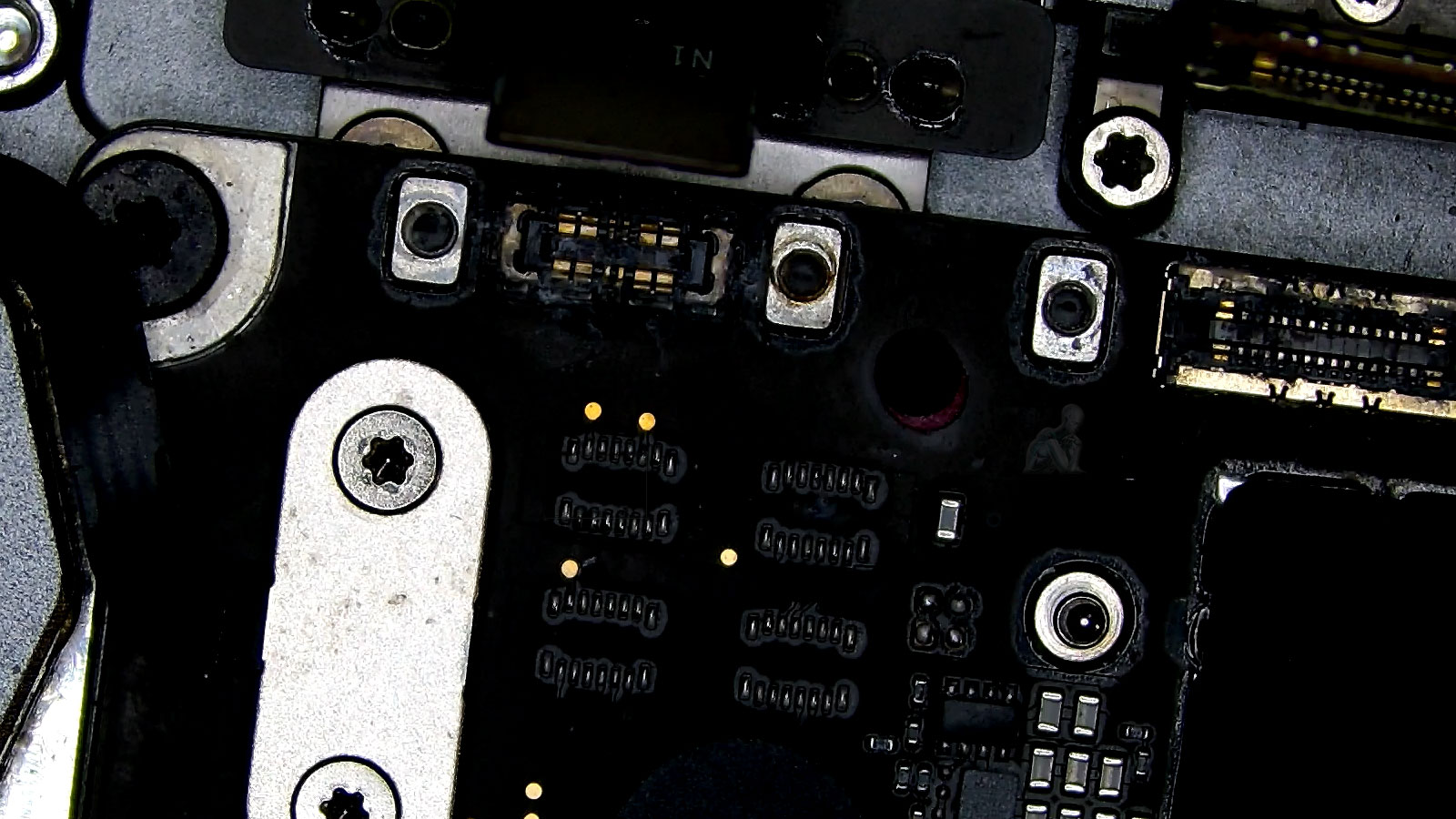
Professional Cleaning and Component-Level Recovery
Professional cleaning after liquid exposure involves a controlled process designed to remove conductive residue and halt ongoing corrosion at the component level. Contaminants introduced by liquid can create unintended electrical pathways, leading to short circuits, unstable voltage behavior, and progressive degradation of solder joints and contact surfaces. The recovery process begins with a detailed inspection to identify affected areas, followed by targeted cleaning using appropriate solvents and techniques that are safe for sensitive electronic assemblies. This ensures that residue is fully eliminated without introducing additional stress to the board.
Component-level recovery extends beyond surface cleaning, focusing on restoring the integrity of critical circuits and connection points. Areas with visible corrosion or compromised conductivity are carefully evaluated to determine whether reconditioning or replacement is required. By stabilizing the affected regions and verifying electrical continuity, the process aims to return the logic board to a functional and reliable state. This approach minimizes the risk of latent failures and supports long-term stability following liquid-related damage.
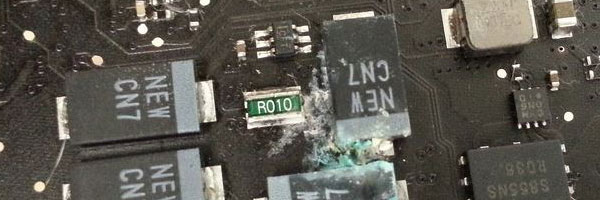
What to Do Immediately After a Spill
- Power the device off immediately
- Disconnect the charger and any accessories
- Do not attempt to dry it with heat or turn it back on
- Seek professional evaluation as soon as possible
Speed matters. Corrosion can begin within hours, even when the device looks dry on the outside.
Supported MacBook Air Models
Liquid damage service is available for:
- MacBook Air with Apple Silicon M1 and M2
- MacBook Air Retina models
- Intel-based MacBook Air systems
- All storage and logic board configurations
Both minor spills and severe liquid exposure can be evaluated.
Corrosion Progression and Electrical Impact
Liquid exposure initiates a chemical process that continues even after the device appears to have dried. Residual moisture and contaminants can trigger corrosion at solder joints, connector pins, and fine-pitch components across the logic board. This gradual degradation alters electrical characteristics, introducing resistance, leakage paths, and instability within critical circuits. As a result, symptoms may evolve over time, ranging from intermittent failures to complete loss of functionality.
Understanding corrosion progression is essential when evaluating liquid-damaged systems. A device that initially powers on may still be experiencing underlying deterioration that will compromise reliability if left unaddressed. Identifying and neutralizing these effects early helps prevent escalation, ensuring that recovery efforts are focused not only on restoring function but also on stabilizing the board for continued operation.
Post-Recovery Stability and Long-Term Reliability
Once cleaning and component-level recovery are completed, the system must be evaluated for stability under real operating conditions. Liquid damage can introduce subtle weaknesses that only become evident during sustained use, such as thermal fluctuation, variable load, or extended runtime. Testing at this stage focuses on verifying that repaired circuits maintain consistent behavior without reintroducing faults.
Long-term reliability depends on more than immediate functionality. It requires confirmation that all affected areas have been properly stabilized and that no residual contamination remains to trigger future issues. By validating performance across multiple conditions, the recovery process ensures that the MacBook Air is not only operational but also capable of maintaining dependable performance over time.
Pickup and Delivery Availability
Pickup and delivery options are available to ensure safe handling and convenient transport of the device throughout the liquid damage evaluation and recovery process.
Liquid Damage Repair Process
Internal Inspection and Disassembly
The MacBook Air is carefully opened and all internal components are inspected for moisture, residue, or corrosion. This allows us to determine how far the liquid has spread.
Logic Board Cleaning
Specialized ultrasonic cleaning is used to remove mineral deposits and contaminants from the logic board and internal circuits. This step is critical for stopping ongoing corrosion.
Component-Level Repairs
If individual chips or circuits are damaged, repairs are performed at the board level using micro-soldering techniques and proper replacement components.
Peripheral and Power Component Evaluation
Keyboards, trackpads, batteries, speakers, and connectors are tested and replaced only if liquid damage has compromised their function.
Full System Testing
After reassembly, the system is tested for power stability, charging, display output, ports, audio, and thermal behavior to confirm reliable operation.
Connector Integrity and Signal Path Restoration
Connectors are among the most vulnerable areas in a MacBook Air following liquid exposure. Fine contact points within display, keyboard, trackpad, and power interfaces can accumulate residue that disrupts signal transmission. Even minor contamination can interfere with data integrity, leading to inconsistent behavior such as display anomalies, input irregularities, or charging instability. Evaluating these interfaces requires close inspection to determine the extent of contamination and its impact on connectivity.
Restoring signal path integrity involves addressing both visible residue and microscopic corrosion that may not be immediately apparent. Cleaning, reconditioning, or, when necessary, replacing affected connectors ensures that communication between components is reestablished without interference. This process is critical for returning the system to stable operation, as uninterrupted signal flow underpins every functional aspect of the device.
Why This Approach Matters
Liquid damage repair is not about quick drying or surface cleaning. It requires proper tools, patience, and experience with Apple hardware design.
- Component-level focus instead of guesswork
- Corrosion prevention, not temporary fixes
- Data-safe handling throughout the process
- Clear evaluation before repairs proceed
- No unnecessary part replacement
The goal is long-term reliability, not short-term recovery.
If liquid has contacted your MacBook Air, delaying service can reduce the chances of recovery. A professional assessment can determine whether cleaning, repair, or data protection is still possible. Early action gives the best outcome.