
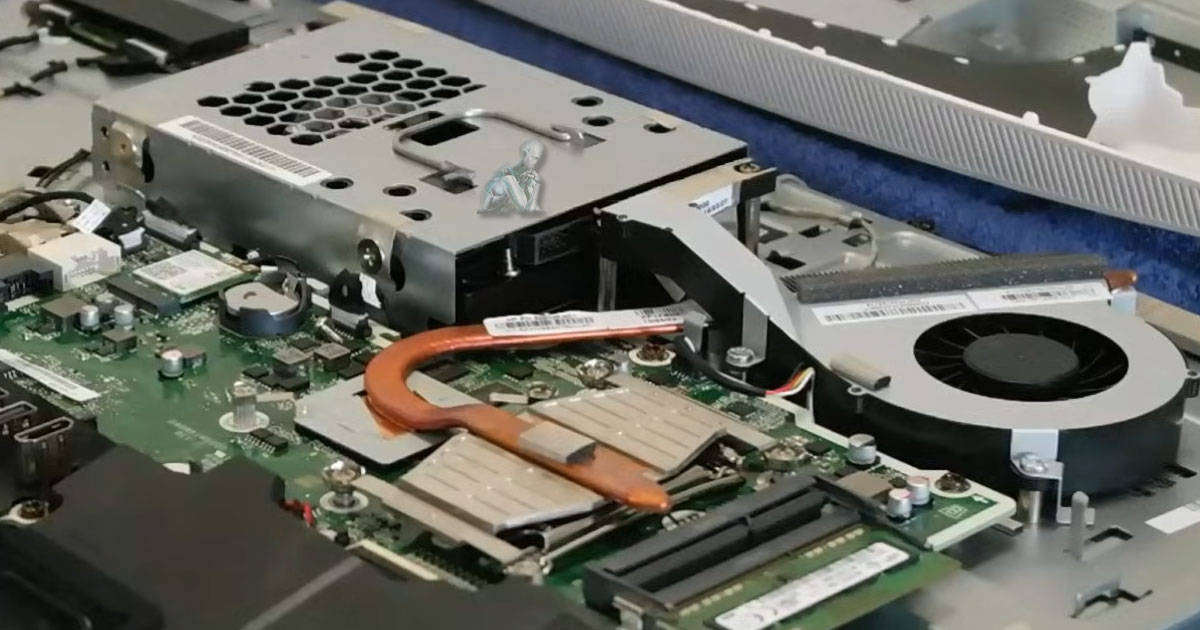
Prevent Overheating, Slowdowns, and Premature Hardware Failure
Keep It Clean. Keep It Cool. Keep It Running Like New.
Why Your All-in-One Desktop Needs Regular Maintenance
All-in-one desktops bring together display, processing components, and cooling into a compact enclosure, which makes regular maintenance more important than it might seem at first glance. Because everything is tightly integrated, airflow is more restricted compared to traditional desktops, allowing dust and heat to build up faster over time. As temperatures rise and ventilation becomes less efficient, performance can gradually decline, internal components may experience added strain, and the risk of unexpected shutdowns or hardware issues increases. Routine maintenance helps preserve the balance these systems rely on to function properly.
What’s Included in Our AIO Cleaning & Tune-Up Service?
Our all-in-one cleaning and maintenance package covers everything your system needs to perform like new again:
Internal Hardware Cleaning
- Dust and debris removal from fans, vents, and internal components
- Thermal paste replacement (if needed) for better CPU cooling
- Inspection of power supply, motherboard, and internal cabling
- Improved airflow and heat dissipation
Signs Your All-in-One Needs Maintenance
- Loud fan noise or overheating
- Slower performance or lagging apps
- Unexpected shutdowns or freezes
- Physical dust buildup around vents
- Unresponsive or glitchy touchscreen
- Trouble connecting peripherals or devices
A regular cleaning and tune-up can resolve these issues before they turn into costly repairs.
Supported Brands & Models
We maintain and clean all popular All-in-One models, including:
- Apple iMac & iMac Pro
- HP Pavilion & Envy AIO
- Dell Inspiron & XPS AIO
- Lenovo IdeaCentre AIO
- ASUS Vivo AIO
- Acer Aspire AIO
Whether it’s a 21.5” workhorse or a 32” creative powerhouse, we’ve got you covered.
What Sets Our Computer Repair Services Apart in Miami?
- Professional-grade tools & techniques
- Quick turnaround times
- Experienced in AIO hardware & macOS/Windows systems
- Preventative care to avoid future breakdowns
- Cleaner, quieter, longer-lasting machines
- Use of compatible, reliable components instead of low-quality substitutes
External Cleaning & Detailing
- Screen cleaning with safe, anti-static solutions
- Keyboard, touch interface, and port cleaning
- Chassis wipe-down and polish
Software Maintenance
- System cleanup (junk files, unused programs, cache)
- Startup optimization
- Driver and firmware updates
- Antivirus and malware scan
- OS updates and health check
Our Maintenance Process: Fast, Thorough, Professional
Step 1: System Evaluation
We start by inspecting your machine inside and out. This includes performance testing, thermal readings, and a visual hardware inspection.
Step 2: Deep Cleaning & Optimization
Using safe tools and anti-static methods, we clean internal components and fans, clear out software clutter, and bring your system back to optimal health.
Step 3: Post-Service Review & Recommendations
Once the service is complete, we provide a summary report with insights and suggestions to keep your AIO running smoothly.
Book Your Cleaning & Maintenance Today
Keeping a system clean is not just about appearance, it is about preserving performance, stability, and longevity. Dust buildup, thermal strain, and neglected software environments gradually reduce efficiency and can lead to avoidable failures. A consistent cleaning and maintenance routine helps ensure that everything continues to run as intended, from internal airflow and cooling performance to system responsiveness and reliability. Taking care of these details today helps prevent interruptions tomorrow.
If you are ready to move forward, scheduling a cleaning and maintenance session is a practical step toward protecting your device and the data it holds. Booking a service ensures that each component is reviewed with attention and care, allowing your system to continue operating smoothly and efficiently over time.