
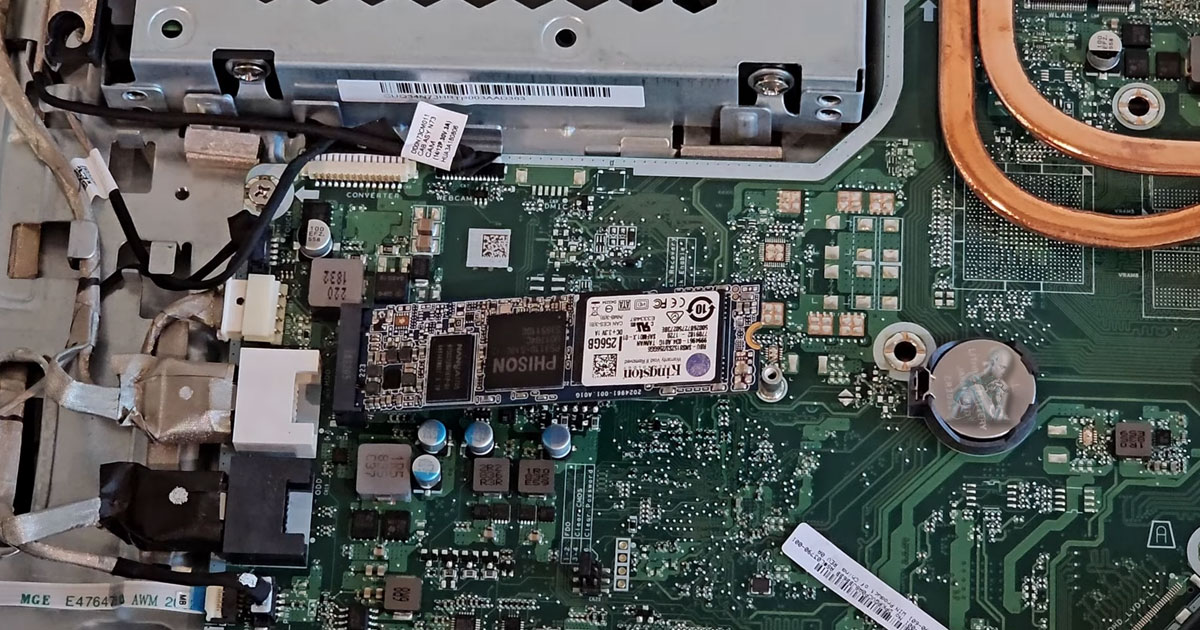
Smarter Hardware Improvements Without Replacing Your System
Power Up Your Performance Without Buying a New System
Is Your All-in-One Desktop Starting to Feel Outdated?
As software evolves and daily workloads become more demanding, an all-in-one desktop can begin to show signs of aging through slower responsiveness, limited multitasking capability, or difficulty keeping up with modern applications. These systems are built with tightly integrated components, which means performance limitations are often tied to specific hardware constraints such as memory capacity, storage speed, or processing efficiency. When these limits are reached, the overall user experience becomes noticeably less fluid.
We perform targeted hardware upgrades designed specifically for all-in-one systems, focusing on components that deliver measurable improvements without compromising system stability. From increasing memory capacity to transitioning to faster storage solutions, each upgrade is planned around compatibility and long term reliability. The result is a system that feels more capable, more responsive, and better aligned with current usage demands.
What Can We Upgrade?
Even though All-in-Ones are compact, many models are still upgradeable. Our most common upgrades include:
RAM (Memory) Expansion
- Better multitasking and app responsiveness
- Smoother performance for graphic design, video editing, and productivity software
- Recommended for users experiencing frequent slowdowns
Cooling System Enhancements
- Quieter operation
- More stable performance during heavy tasks
- Reduced wear on internal components
Our Hardware Upgrade Process
Step 1: Compatibility Assessment
We evaluate your All-in-One system’s upgrade potential and recommend the most effective options for performance gains.
Step 2: Professional Installation
We handle the full installation and configuration, no guesswork, no risk of damage, and no voided warranties.
Step 3: System Testing & Optimization
After the upgrade, we test performance benchmarks, update drivers, and ensure everything runs smoothly.
Ready to Supercharge Your All-in-One?
Improving the performance of an all-in-one desktop requires more than a simple upgrade, it calls for a focused approach that identifies where the system is being held back and how to enhance it effectively. We evaluate the current configuration and apply targeted improvements such as high-speed storage, increased memory capacity, and optimized system settings. Each adjustment is selected to deliver noticeable gains in speed, responsiveness, and overall efficiency without disrupting the stability of the device.
Our process is designed to elevate the way the system performs in everyday use. From faster startup times to smoother multitasking and reduced lag during demanding tasks, the changes are implemented with precision and verified for consistency. The goal is to transform the system into a more capable and responsive environment, allowing it to handle modern workloads with confidence and reliability.
Solid-State Drive (SSD) Upgrade
- Lightning-fast boot times and file access
- Increased durability and lower power usage
- Ideal for replacing slow, aging hard drives
Graphics Card (GPU) Upgrades (model-dependent)
- Enhanced visual performance for 3D rendering, video editing, or gaming
- Improved support for dual monitors and high-res displays
Power Supply & Peripheral Upgrades
- For improved reliability, energy efficiency, and system longevity
Why Upgrade Instead of Replace?
- Cost-Effective: Spend less than half the cost of a new machine
- Eco-Friendly: Reduce e-waste and extend your device’s lifespan
- Tailored Performance: Upgrade exactly what you need based on how you use your system
- Faster Results: Avoid data migration headaches and long setup times
A strategic hardware upgrade can make your current AIO feel brand-new without the price tag.
Supported All-in-One Models
We provide upgrade services for a wide range of AIO computers, including:
- Apple iMac (Intel & Apple Silicon)
- HP Envy, Pavilion & EliteOne All-in-Ones
- Dell Inspiron & XPS AIO Desktops
- Lenovo IdeaCentre & Yoga AIOs
- Acer Aspire Z Series
- ASUS Vivo AIO
Whether you use your system for design, office work, streaming, or school, we’ll help tailor the performance to your lifestyle.
Why Choose Our Team for Computer Repair in Miami?
- Decades of combined upgrade experience
- Component compatibility experts
- Only use trusted brands and OEM-grade parts
- Business and personal systems welcome
- Fast turnaround times, often same day
From diagnosis to install, we take care of it all, and we always explain things in a way you can actually understand.