

Fast, Local Tech Solutions with Free Pickup & Delivery
Biscayne Park has a distinct residential character, where day to day technology use tends to be practical and uninterrupted rather than complex or commercial. Computer Repair Miamis works within that setting, focusing on resolving system issues that affect normal use, from inconsistent performance to hardware related faults and network configuration problems. The approach centers on identifying what is actually causing the issue and correcting it in a direct, straightforward way that fits how the system is being used.
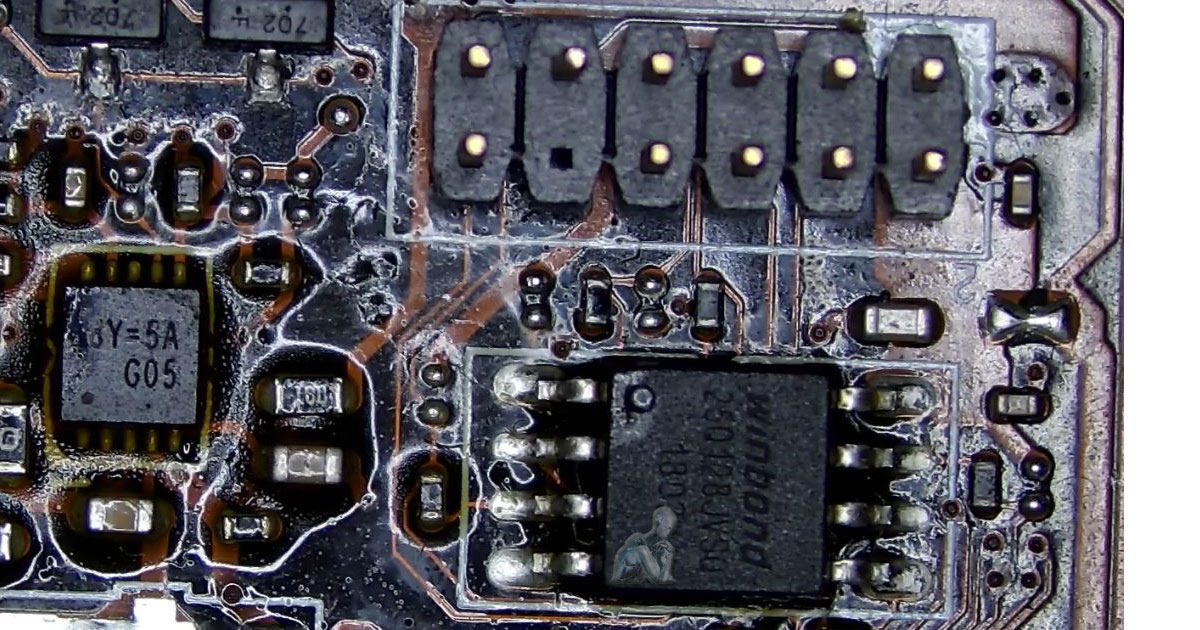
Trusted Computer Repair Services in Biscayne Park
Work covers a broad range of systems, including Mac and Windows computers, desktops, laptops, and custom built configurations. Each device is handled based on its specific design and condition, with attention given to both hardware structure and system behavior. From standard machines to specialized builds, the process focuses on accurate assessment and precise correction, ensuring that each system is addressed according to its actual requirements rather than a one size approach.
PC System Repair and Performance Enhancement
PC systems vary widely in configuration, which means issues often relate to how components interact under different conditions rather than a single point of failure. Inconsistent performance, startup errors, or unexpected behavior can stem from hardware limitations, software conflicts, or configuration imbalances. Careful analysis focuses on how the system is built and used, allowing adjustments and repairs that align with its specific setup.
- Boot and startup issue correction for systems that fail to load properly
- Component testing for processor, memory, and storage reliability
- Graphics troubleshooting for display errors and performance inconsistencies
- Operating system repair and environment cleanup
- Driver configuration to ensure proper hardware communication
- Power supply evaluation for stable system operation
- Internal inspection for overheating and airflow limitations
- System configuration adjustments based on usage requirements
All In One Computer Repair and Internal Access Work
All in one systems combine display and internal hardware within a single enclosure, which changes how repairs are approached compared to traditional desktops. Limited access, compact layouts, and integrated components require careful disassembly and controlled handling. Issues such as no display, power irregularities, or performance decline are evaluated with attention to both internal hardware and the connection between display and system components.
- Screen and panel replacement for cracked or non functional displays
- Internal component access and inspection within compact enclosures
- Power system evaluation for units that do not turn on
- Storage replacement and data transfer within integrated systems
- Memory upgrades where configuration allows expansion
- Cooling system cleaning and fan servicing in restricted layouts
- Connector and cable inspection between display and motherboard
- System reassembly and functional testing after repair
IT Support and Technical Issue Resolution
IT support involves addressing a range of system behaviors that affect how devices operate in real use. Irregular performance, configuration conflicts, and connectivity problems can develop over time as systems change or expand. Support focuses on identifying the exact point of failure and applying corrections that align with how each system is set up and used across its environment.
- System troubleshooting for performance and functionality issues
- Software installation and configuration based on system requirements
- Network related issue resolution across connected devices
- Hardware and software compatibility adjustments
- User account setup and access management
- Peripheral integration including printers and external devices
- System updates and configuration alignment
- Ongoing issue tracking to prevent repeated disruptions
Free Pickup & Delivery in Biscayne Park
Busy day? Let us handle the tech without you ever leaving home.
- We pick up your device at your home or office
- Secure, professional handling and timely return
- Same-day or next-day pickup available
- No extra cost, pickup and delivery are fully included
Gaming Laptop Performance Calibration and Thermal Control
Gaming laptops operate within tight thermal and power limits while handling sustained workloads. Performance drops, irregular frame rates, or unexpected shutdowns often relate to heat buildup, power constraints, or component behavior under load. Focused evaluation examines how the system responds during active use, allowing targeted adjustments that improve consistency and maintain reliable operation during demanding sessions.
- GPU and CPU load analysis for performance consistency during gameplay
- Cooling system cleaning and fan operation correction
- Thermal paste replacement for improved heat transfer
- Power delivery evaluation under sustained load conditions
- Driver alignment for graphics and system performance
- Storage optimization to reduce load times
- Memory configuration for stable multitasking during gaming
- Stress testing to confirm system behavior under extended use
Network Setup and Configuration
A properly configured network depends on how devices communicate, how traffic is managed, and how coverage is distributed across the environment. Inconsistent speeds, connection drops, or limited range often result from configuration gaps rather than hardware limitations. Setting up a network involves aligning router settings, device roles, and signal distribution so that connectivity remains consistent under normal use.
- Router and modem configuration for stable internet access
- Wireless network setup with proper channel and frequency selection
- Device integration across computers, printers, and smart devices
- Network segmentation for improved performance and organization
- Security configuration including encryption and access control
- Coverage adjustment to reduce dead zones and signal interference
- Wired connection setup for consistent high speed access
- Network testing to verify performance and connectivity across devices
Preventive Maintenance and System Care
Systems tend to degrade gradually rather than fail all at once, with performance changes often appearing as minor slowdowns, increased heat, or inconsistent behavior. Preventive maintenance focuses on identifying these early signs and addressing them before they develop into more serious issues. This includes managing internal dust buildup, reviewing system processes, and ensuring that components operate within expected conditions.
Regular maintenance also involves keeping software environments organized and storage conditions balanced, which helps reduce unnecessary strain on hardware. By maintaining both the physical and system level condition of a device, long term reliability improves and unexpected interruptions become less frequent.
Proudly Serving Biscayne Park, FL
We serve all of Biscayne Park and nearby neighborhoods:
- NE 6th Avenue Area
- Griffing Boulevard & Miami Shores Border
- Biscayne Park Civic Center Area
- Nearby El Portal, Little River & Miami Shores