

Fast. Friendly. Free Pickup & Delivery Included.
Tucked between Miami and Miami Shores, El Portal is known for its designation as a bird sanctuary, where peacocks and other wildlife are often seen moving through tree lined streets and around the Little River. The area also holds historical significance with sites like the El Portal Burial Mound, one of the earliest preserved archaeological locations in Miami-Dade County, reflecting a connection to the region’s early native settlements. In a setting where daily life moves through a mix of home, work, and connected devices, computers become part of how tasks are managed and communication is maintained. When a system begins to show signs of slowdown, instability, or hardware related issues, it directly affects how smoothly those routines continue, making it important to address problems in a way that reflects how the device is actually used.
Complete Computer Repair Services in El Portal
Different computer setups often evolve over time, shaped by changing needs, added software, and new hardware components. What starts as a simple system can become more complex as it adapts to new tasks, sometimes leading to unexpected behavior or reduced performance. Keeping track of these changes helps maintain a balance between usability and system efficiency, allowing the computer to continue supporting daily activity without unnecessary complications.
MacBook Air Motherboard Repair and Board Level Work
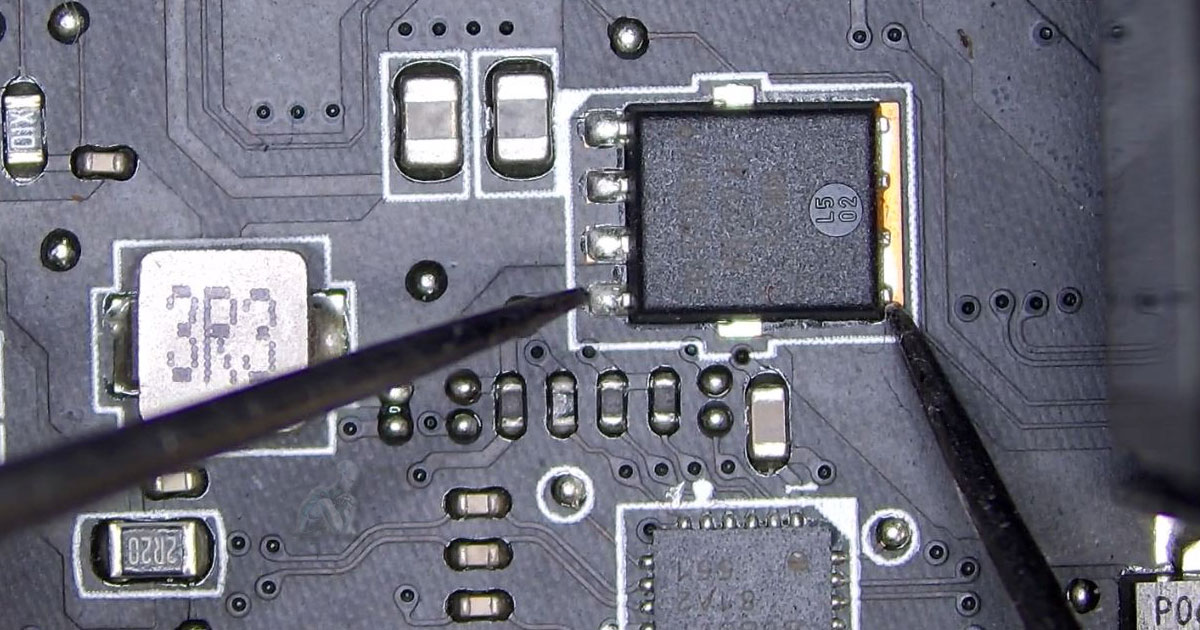
Motherboard issues in a MacBook Air can affect power, charging behavior, display output, and overall system response. These problems may appear as no power conditions, intermittent startup, or irregular operation that does not point to a single replaceable part. Because key components are integrated directly onto the board, resolving these issues often involves working at the circuit level.
- Inspection of board condition for signs of damage or corrosion
- Diagnosis of power related faults affecting startup and charging
- Identification of failed components at the circuit level
- Repair of damaged traces and connection points
- Replacement of affected chips and board components
- Verification of power flow and system response after repair
- Testing across normal usage conditions
- Final system checks to confirm proper operation
Laptop Hinge Repair and Display Support Restoration
Hinge wear in laptops often develops gradually, showing up as stiffness, looseness, or separation between the screen and the base. As tension changes over time, it can place stress on the display housing, internal brackets, and surrounding plastic or metal supports. In more advanced cases, opening or closing the screen may affect alignment or place pressure on the display assembly.
- Inspection of hinge condition and mounting points
- Repair or replacement of worn hinge mechanisms
- Reinforcement of internal brackets and anchor points
- Alignment of display assembly during reassembly
- Adjustment of hinge tension for smooth movement
- Inspection of surrounding housing for structural damage
- Verification of stable opening and closing motion
- Final check to ensure proper display support
Free Pickup & Delivery in El Portal
Convenient service includes free pickup and delivery for supported devices.
- Pickup and return for all qualifying services
- Safe and secure transport of devices
- Suitable for professionals, students, and residential users
- No hidden fees for transport services
Proudly Serving El Portal & Surrounding Areas
Service coverage includes:
- El Portal Village
- Little River Area
- Sherwood Forest Neighborhood
- Nearby areas such as Miami Shores, Biscayne Park, and Upper East Side
Laptop Trackpad Replacement and Pointer Control
Trackpad faults show up as erratic cursor movement, missed clicks, or gestures that do not register. Causes can include worn surfaces, sensor degradation, or cable issues inside the chassis. Many designs secure the trackpad beneath the palmrest, so access and alignment during replacement affect how accurately input is detected after installation.
- Removal of damaged trackpad units and brackets
- Inspection of flex cables and connector seating
- Installation of model specific replacement components
- Calibration of click pressure and gesture response
- Alignment within the palmrest for even tracking
- Verification of multi touch functionality
- Adjustment of system settings for consistent input
- Final testing across the full tracking surface
MacBook Pro LCD Screen Replacement
LCD screen damage in a MacBook Pro can appear as cracks, vertical lines, flickering, or areas where the image is no longer visible. In many models, the display components are integrated into a single assembly, which means replacement requires careful removal and installation to avoid affecting surrounding parts. These issues can result from physical impact, pressure on the screen, or internal panel failure over time.
- Removal of damaged LCD assemblies
- Installation of compatible replacement screens
- Inspection of display cables and internal connections
- Verification of image output and backlight function
- Alignment of display housing during reassembly
- Testing for color consistency and brightness levels
- Confirmation of stable display performance
- Final system check after installation
IT Support and System Assistance
IT support involves working through situations where computers, networks, and connected devices need to function together without interruption. As systems evolve through updates, added applications, and changing usage patterns, inconsistencies can begin to appear in how they perform or communicate with one another.
- Handling of system issues affecting daily computer use
- Software setup and environment adjustments
- Network related problem resolution across devices
- Integration of printers and external hardware
- Account configuration and access management
- Performance tuning based on system usage
- Configuration updates following system changes
- General support for both individual and multi device setups