
Certified Technicians | Free Pickup & Delivery | Open 7 Days a Week
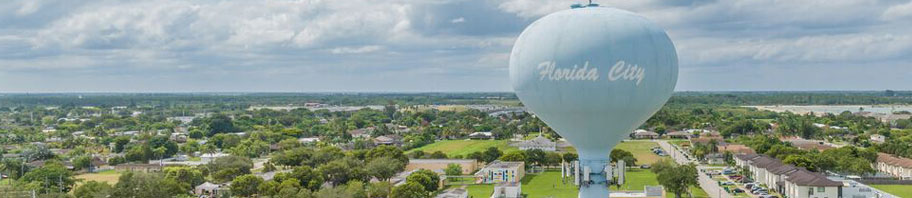
Florida City sits at the southern edge of Miami-Dade and is often recognized as the gateway to the Florida Keys and the Everglades, where travelers pass through on their way toward national parks and coastal routes. This position gives the area a constant flow of movement, blending local routines with travel, work, and outdoor activity connected to the surrounding landscape. In that kind of setting, computers become part of how people manage daily responsibilities, whether handling work tasks, communication, or personal use. When a system begins to slow down, fail to respond, or develop hardware or software issues, it quickly affects how those activities continue, making it important to bring the machine back to a condition where it performs as expected.
Reliable Computer Repair Services
Laptops, desktops, and all-in-one computers are supported across all major brands and models. Each system type presents its own set of characteristics, from compact portable devices to full workstation setups, requiring an understanding of how components and software interact. Working across this range allows issues to be addressed accurately, whether the problem involves internal hardware, operating system behavior, or general system condition. Support extends to both newer devices and older systems that continue to be used for everyday tasks.
Mac Systems and Platform Specific Handling
Mac computers are designed with a close relationship between hardware and macOS, which influences how they perform and how issues develop over time. Changes in responsiveness, storage behavior, or startup patterns can reflect how the system manages resources and interacts with its internal components. These conditions may appear gradually as usage patterns evolve or as software and hardware begin to fall out of alignment.
- macOS environment review based on system behavior
- Storage condition and data access evaluation
- Startup and login issue handling
- Input and display component assessment
- Thermal condition observation during normal use
- System configuration adjustments aligned with usage patterns
- Handling of platform specific performance concerns
- General system checks across Mac devices
Microsoldering and Circuit Level Repair
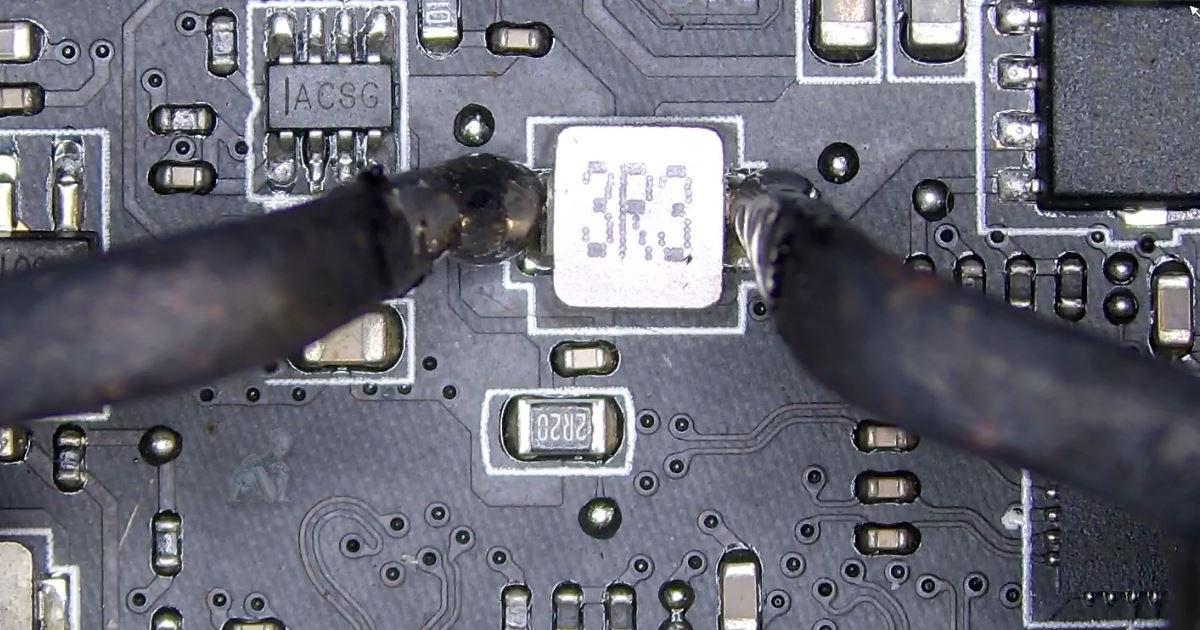
Microsoldering focuses on repairing faults at the circuit level where standard component replacement is not sufficient. Modern computer boards contain tightly packed chips, capacitors, and connection lines that can fail due to heat, electrical damage, or corrosion. These issues often present as no power, charging failure, or irregular system behavior that cannot be traced to a single removable part.
- Identification of failed components on densely populated boards
- Replacement of damaged chips and surface mounted parts
- Repair of broken or degraded circuit traces
- Correction of short circuits affecting power flow
- Rework of charging and power regulation sections
- Connector and port level repair at the board interface
- Microscope assisted inspection during repair
- Testing of board functionality after corrective work
Office Setup and System Configuration
Setting up an office environment involves organizing computers, networks, and devices so they work together efficiently from the start. Each workspace may include multiple systems that need to communicate, share resources, and maintain consistent performance throughout the day. Proper setup helps avoid common issues related to connectivity, device conflicts, and configuration gaps.
- Installation and configuration of desktop and laptop systems
- Network setup for shared access and communication
- Printer and peripheral integration across workstations
- User account setup and access management
- Software installation based on operational needs
- Storage and file sharing configuration
- Organization of system layout for daily workflow
- Initial testing to confirm proper operation across devices
Why Florida City Chooses Us
17+ Years Serving South Miami-Dade
Certified in Mac and Windows systems
Free pickup and delivery included
Transparent pricing with no hidden charges
Same-day and weekend service availability
Technical support is available for residential and business environments throughout Florida City.
All In One Computer Service and Internal Work
All in one computer combine the display and internal components into a single enclosure, which changes how access and servicing are performed. Unlike traditional desktops, key parts such as storage, memory, and cooling systems are positioned behind the screen, requiring careful disassembly to reach internal components. Issues may appear as slow performance, no display, power problems, or heat buildup within the compact structure.
- Internal access through display removal for component inspection
- Storage replacement and upgrade within integrated designs
- Memory evaluation and expansion where supported
- Cooling system inspection in restricted airflow layouts
- Power related issue handling for systems that do not start
- Display and internal connection checks
- Reassembly with proper alignment and sealing
- System testing after internal work is completed
Data Recovery for Computers and Storage Devices
Data recovery involves retrieving files from computers and storage devices that are no longer accessible through normal operation. This can occur when a system fails to start, a drive becomes unreadable, or files are lost due to accidental deletion or corruption. In many cases, the data still exists on the device but requires controlled access methods to be retrieved.
- Recovery of files from desktops and laptops that do not boot
- Data retrieval from damaged or failing hard drives
- Solid state drive recovery based on storage condition
- Extraction of files from external hard drives and USB devices
- Access to corrupted partitions and file systems
- Transfer of recovered data to new storage media
- Verification of file usability after recovery
- Handling of data loss scenarios across different device types
IT Support for Homes & Businesses in Florida City
IT support involves maintaining the interaction between computers, networks, and devices as they are used over time. Changes in software, added hardware, and evolving workflows can introduce inconsistencies that affect how systems respond during daily use. These issues may appear as performance drops, connectivity interruptions, or conflicts between applications and devices.
- System troubleshooting based on real usage patterns
- Software installation and configuration adjustments
- Network issue handling across multiple devices
- Integration of printers and external hardware
- User account setup and access control
- Performance tuning to improve responsiveness
- Configuration updates aligned with system changes
- Support across both individual and multi system environments
Areas We Serve in Florida City
Service coverage includes:
- Downtown Florida City
- SW 344th Street & US-1 Corridor
- Palm Drive Commercial Areas
- Nearby areas including Homestead, Redland, Naranja & Leisure City