

Local, Professional, and Hassle-Free Service with Free Pickup and Delivery
Miami Lakes, FL relies heavily on technology for everyday tasks, from communication and file access to organizing ongoing work. When devices begin to behave unpredictably or lose responsiveness, it can interrupt routines and slow things down. Addressing these situations involves restoring balance to how systems operate, allowing them to handle tasks in a more natural and consistent way. Computer repair and IT support services are part of this process, helping ensure that devices and connections continue to function in a way that aligns with their intended use.
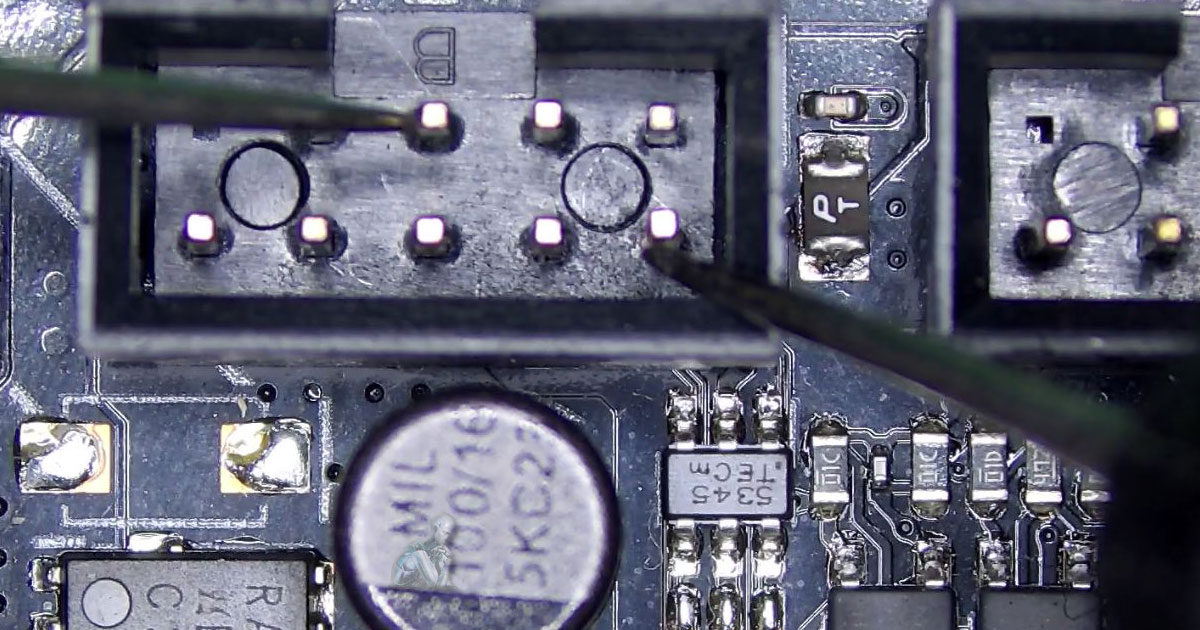
Computer Repair Services in Miami Lakes
Devices are used in many different ways depending on the environment, from simple day-to-day tasks to more demanding workloads that require consistency over long periods of time. As systems continue to operate under these conditions, subtle changes can begin to appear, whether in responsiveness, behavior, or overall usability. Recognizing these shifts early makes it possible to address them before they develop into larger concerns. By focusing on how a system actually performs during regular use, adjustments can be made in a way that restores a more natural flow, allowing devices to continue functioning in line with their intended role.
Repair Services Built for Mac Systems
Apple systems require specialized handling due to their integrated design and operating environment. The following areas are commonly addressed:
- Startup issues and macOS related system errors
- Logic board diagnostics and board level repair
- SSD and storage related failures
- Battery replacement and power management issues
- Display faults including LCD and backlight problems
- Keyboard, trackpad, and input device repairs
- Thermal management and internal cleaning
- Data recovery from Mac based storage systems
iMac Hard Drive Upgrade to Solid State Storage
Older iMac systems equipped with traditional hard drives can experience slow startup times and delayed performance during everyday tasks. Upgrading to solid state storage improves speed, responsiveness, and overall system efficiency. The following areas are commonly addressed:
- Replacement of mechanical hard drives with solid state drives
- Data cloning and transfer to the new storage device
- Operating system installation and configuration
- Optimization of system settings for solid state performance
- Diagnosis of storage related slowdowns
- Verification of system stability after upgrade
PC System Repair and Service
Windows based systems require attention across both hardware components and software configuration to maintain stable operation. The following areas are commonly addressed:
- Startup failures and boot related issues
- Operating system errors and system recovery
- Hardware replacement including power supplies, memory, and storage
- Driver conflicts and device compatibility problems
- Virus and malware removal
- Overheating and cooling system faults
- Performance issues such as slow response and freezing
- Data access problems and file recovery
Remote System Support
Certain technical issues can be resolved without physical access by connecting directly to the system through a secure remote session. The following areas are commonly handled:
- Software troubleshooting and error correction
- Operating system adjustments and configuration fixes
- Virus and malware removal
- Application installation and setup
- System performance optimization
- Driver updates and compatibility fixes
- Email and account configuration
- Guided assistance for user specific issues
Laptop Hard Drive Replacement and Upgrade
Storage related issues can affect system speed, data access, and overall reliability. The following areas are commonly addressed:
- Hard drive replacement due to failure or degraded performance
- Upgrade to solid state drives for improved speed and responsiveness
- Data recovery from failed or non responsive drives
- Cloning and migration of existing data to new storage devices
- Repair of corrupted file systems and partitions
- Diagnosis of slow performance related to storage issues
- Secure handling and transfer of user data
Why Miami Lakes Relies on This Service
17+ Years Serving South Florida
Certified Apple and Windows technicians
Same-day service availability
Free pickup and delivery throughout Miami Lakes
Transparent pricing with no hidden fees
Open daily, including weekends
Service coverage includes residential neighborhoods and business areas throughout Miami Lakes.
Data Recovery and Backup Solutions
Access to important files can be disrupted by hardware failure, software corruption, or accidental loss. Backup planning and recovery work address both prevention and restoration needs. The following areas are commonly handled:
- Recovery of deleted files and formatted storage devices
- Data extraction from failed hard drives and solid state drives
- Restoration from corrupted partitions and file systems
- Recovery from damaged USB drives and memory cards
- Backup setup for local and external storage devices
- Data migration between systems and storage platforms
- Configuration of automated backup routines
- Verification of backup integrity and accessibility
Motherboard and Power Supply Repair
Core system failures are often linked to the motherboard or power supply, where power distribution and component communication take place. The following issues are commonly addressed:
- No power or system not turning on
- Intermittent shutdowns and restart loops
- Burned or damaged components on the motherboard
- Power supply instability or failure under load
- Faulty capacitors and voltage regulation issues
- Short circuits caused by internal damage or liquid exposure
- Replacement of defective power units and board level components
MacBook Air LCD Screen Repair
Display problems can affect clarity, brightness, and overall usability of the system. The following conditions are commonly addressed:
- Cracked or physically damaged screen panels
- Vertical or horizontal lines across the display
- Backlight failure causing dim or no image
- Flickering or inconsistent brightness levels
- Dead pixels and color distortion
- No display despite the system powering on
- Display cable and connection related faults
IT Support for Business and Home Systems
Reliable operation across multiple devices and connections is essential in both office and home environments where systems are used for communication, data access, and daily tasks. The following areas are commonly addressed:
- Network setup and configuration for business and residential spaces
- Internet connectivity issues and signal optimization
- Router, modem, and access point configuration
- Workstation setup and device integration
- Software installation, updates, and troubleshooting
- Email setup and synchronization across devices
- Security configuration and access control
- Remote assistance for system and network related issues
Free Pickup and Delivery in Miami Lakes
Convenient service includes pickup and return for supported devices.
- Flexible scheduling for pickup and delivery
- Secure handling and transport
- Same-day or next-day availability
- No additional transport fees
Proudly Serving Miami Lakes
Support extends throughout Miami Lakes to assist systems used in homes and workplaces where consistent performance is necessary for communication, administrative work, and access to digital services coverage includes:
- Miami Lakes Town Center
- Royal Oaks
- Loch Ness area
- Graham Dairy Road and NW 67th Avenue corridor
- Nearby areas including Hialeah and Palm Springs North