

Computer Repair and IT Support in Miami Shores
Everyday routines in Miami Shores, FL often depend on devices that are expected to respond quickly and behave consistently, whether used for communication, organization, or ongoing tasks. When systems begin to show irregular behavior, even small disruptions can affect how smoothly those routines continue. Addressing these situations involves working through the device in a way that brings everything back into alignment with how it is normally used. Computer repair and IT support services are part of this process, helping ensure that hardware, data access, and network connections continue to function in a way that supports daily use.
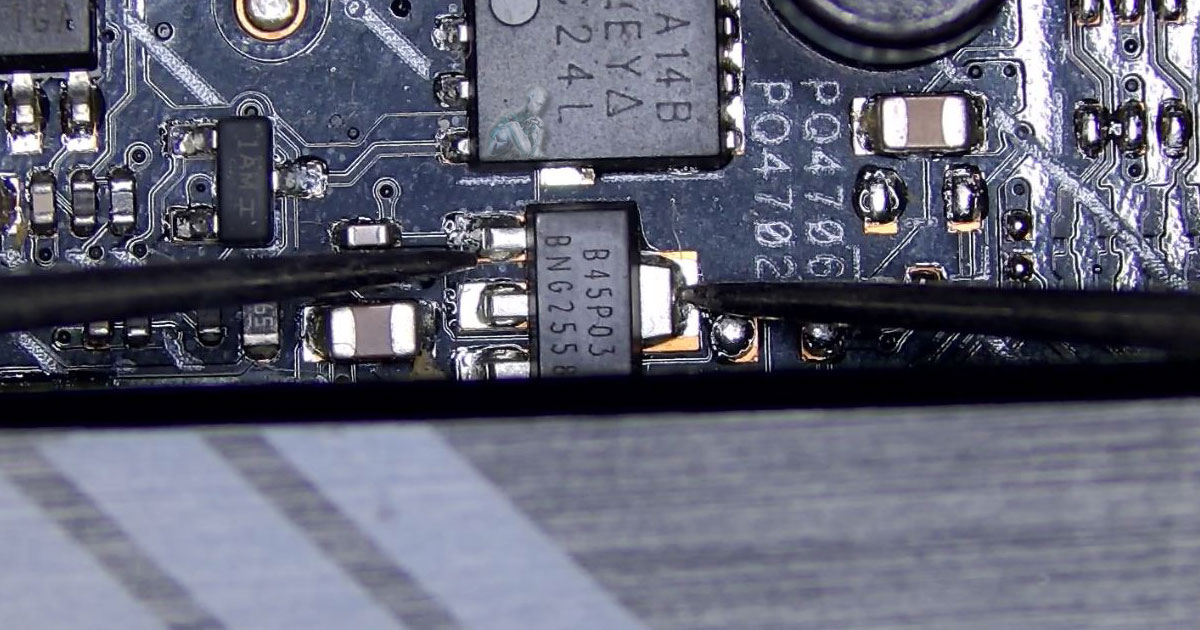
Computer Repair Services in Miami Shores
Computers are often built, upgraded, or adapted over time, which means no two systems behave exactly the same. Some are assembled for specific tasks, others evolve through part replacements and software changes, creating unique configurations that don’t follow a standard pattern. When something stops working as expected, resolving it requires working through those differences rather than applying a one-size approach. By focusing on the individual makeup of each machine, adjustments can be made in a way that respects how it was built and how it is meant to function, allowing it to return to a more balanced and predictable state.
iMac SSD Upgrade and Full System Maintenance
iMac systems with aging hard drives often show slow startup times, delayed application response, and overall reduced performance. Upgrading to solid state storage improves speed while maintenance ensures the system operates within proper thermal and hardware conditions. The following areas are commonly addressed:
- Replacement of mechanical hard drives with solid state drives
- Data cloning and secure transfer to new storage
- Operating system installation and configuration
- Internal cleaning to remove dust and airflow restrictions
- Thermal paste replacement for improved heat transfer
- Inspection of cooling components and fan operation
- System optimization and performance verification
Home and Business IT Support
Environments that rely on multiple systems and shared connectivity require consistent technical management to avoid interruptions and maintain reliability. The following areas are commonly addressed:
- Network setup and structured configuration for homes and offices
- Internet connection issues and signal stability improvements
- Router, modem, and access point configuration
- Device integration across workstations and connected systems
- Software installation, updates, and troubleshooting
- Email setup and synchronization across multiple devices
- Security configuration and controlled access setup
- Remote assistance for system and connectivity issues
Office Setup and System Configuration
Work environments require organized system deployment and reliable connectivity to support daily operations. The following areas are commonly addressed:
- Workstation setup and hardware installation
- Network configuration for shared access and communication
- Printer and peripheral integration
- Cable organization and workspace layout optimization
- Software installation and system configuration
- Email and account setup across devices
- Internet connection setup and stability checks
- Initial system testing to ensure operational readiness
Proudly Serving Miami Shores
Service coverage includes:
- Miami Shores Village
- Barry University area
- Nearby Biscayne Park and surrounding neighborhoods
Laptop LCD Screen Replacement
Screen damage can affect visibility, usability, and overall functionality of a laptop. The following conditions are commonly addressed:
- Cracked or shattered display panels
- Vertical or horizontal lines on the screen
- Backlight failure resulting in dim or no image
- Flickering or inconsistent brightness
- Dead pixels and color distortion
- No display despite the system powering on
- Damage to display cables and internal connections
Gaming PC Service and Repair
High performance systems require stable hardware and proper configuration to operate under demanding conditions. The following areas are commonly addressed:
- System crashes and instability during gameplay
- Graphics card diagnostics and replacement
- Power supply issues and load related failures
- Overheating and cooling system correction
- Memory errors and compatibility adjustments
- Storage upgrades and performance improvements
- System tuning for consistent performance under load
PC Repair and Motherboard Diagnostics
System failures often originate from core components that affect power distribution and communication between hardware. The following issues are commonly addressed:
- No power or system not turning on
- Boot failures and restart loops
- Motherboard component damage and short circuits
- Power delivery issues and voltage instability
- Faulty capacitors and onboard component failure
- Port and connector damage affecting peripherals
- Board level diagnostics and targeted component repair
Why Clients Choose Our Service
Consistent results depend on accurate diagnostics, clear communication, and reliable repair practices. The following factors are central to how work is carried out:
- Direct identification of faults without unnecessary replacements
- Component level understanding across Mac and PC systems
- Structured repair process based on actual system condition
- Attention to long term reliability rather than temporary fixes
- Experience with a wide range of hardware and software environments
- Careful handling of systems and stored data during service
- Clear explanation of findings and required work