Seamless Migration for Professional Workflows and Complex Systems
Seamless migration within a Mac Pro environment requires more than simply moving files from one system to another. These workstations are often configured with specialized applications, custom storage layouts, and performance-tuned settings that support demanding professional workflows. Preserving that environment during a transition involves careful handling of user data, system structures, permissions, and application dependencies, ensuring that the destination system reflects the original configuration as closely as possible without introducing inconsistencies.
When dealing with complex systems, the migration process must adapt to the specific architecture of both the source and target machines. Differences in storage interfaces, operating system versions, and hardware capabilities can influence how data is transferred and restructured. By using controlled transfer methods and verifying data integrity at each stage, it becomes possible to maintain continuity across systems, allowing workflows to resume without disruption while safeguarding critical files and configurations.
What Is Included in a Mac Pro Data Transfer
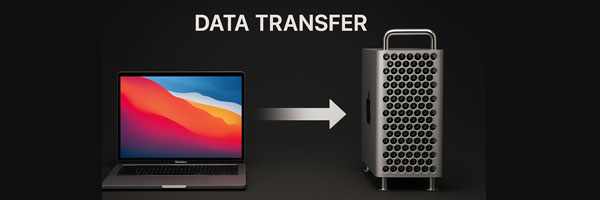
This service goes beyond simple file copying. The goal is to move your entire working environment without disruption.
Files and Project Data
- Documents, media libraries, design assets, and archives
- High-capacity transfers for multi-terabyte datasets
- External drives, RAID volumes, and legacy storage sources
User Profiles and System Preferences
- macOS user accounts and folder structures
- Desktop layouts, Dock settings, shortcuts, and accessibility preferences
- Browser profiles, bookmarks, and saved settings
Application Data and Work Environments
- Creative software data (Adobe, Final Cut Pro, Logic Pro, DaVinci Resolve)
- Productivity tools and collaboration platforms
- Application libraries, presets, caches, and configuration files
- Licensing data and environment-specific assets when applicable
Email and Cloud Integration
- Apple Mail, Outlook, and Gmail configurations
- Cloud services including iCloud, OneDrive, Google Drive, and Dropbox
- Secure transfer of keychains and saved credentials when approved
Pre-Migration Assessment and System Preparation
Before any data transfer begins, a structured evaluation of both the source and destination Mac Pro systems is essential. This includes reviewing storage configurations, available capacity, file system formats, and operating system compatibility. Professional environments often contain complex directory structures, application dependencies, and user-specific permissions that must be identified in advance to prevent conflicts during the migration process.
Preparation also involves stabilizing the source system to ensure consistent read access throughout the transfer. This may include isolating problematic volumes, addressing minor file system inconsistencies, and confirming that all required data is accessible. By establishing a controlled starting point, the migration can proceed with reduced risk, allowing for a more predictable and efficient transfer of data between systems.
Secure, Controlled, and Verified Transfers
Every migration follows strict handling and verification practices.
- Data is handled in-house only
- Professional migration tools are used to ensure integrity
- Pre-transfer review to understand structure and priorities
- Post-transfer verification and cleanup included
- No data is retained, duplicated, or accessed without authorization
The objective is accuracy, not speed at the expense of reliability.
Common Scenarios This Service Supports
- Migrating from an older Mac Pro to a newer system
- Moving from Intel-based Mac Pro hardware to Apple Silicon
- Replacing or upgrading internal storage while keeping everything intact
- Preparing workstations for teams, studios, or new hires
- Consolidating data from multiple external drives or RAID systems
- Cross-platform transfers from Windows workstations to macOS
If the data matters, the transfer needs to be deliberate, verified, and controlled.
Post-Migration Verification and System Integrity Checks
Once the data transfer is complete, verification becomes a critical step in confirming that all files, applications, and system components have been accurately replicated. This process involves validating file counts, directory structures, and data integrity, ensuring that no information was lost, altered, or corrupted during the migration. In professional Mac Pro environments, even minor inconsistencies can impact workflow continuity, making thorough validation essential.
Beyond file verification, system functionality is also reviewed to confirm that applications launch correctly, user environments remain intact, and storage volumes are properly recognized. Any discrepancies are identified and resolved before the system is considered fully transitioned. This final stage ensures that the destination Mac Pro is not only populated with data, but also ready to operate reliably within its intended workflow.
Compatible Mac Pro Configurations
Data transfers are supported across a wide range of Mac Pro systems, including:
- 2019 modular Intel tower models
- 2013 cylindrical Mac Pro systems
- Apple Silicon Mac Pro platforms
- Systems using custom SSDs, RAID arrays, or MPX modules
- Mixed environments with external storage and network volumes
Each transfer is adapted to the hardware and workflow involved.
Why This Service Is Trusted
- Experience with workstation-class macOS systems
- Familiarity with creative, technical, and enterprise workflows
- Support for large-scale and complex data environments
- Clear communication before, during, and after the transfer
- Care taken to preserve how you actually work
This is about continuity, not just moving files.
When years of work, creative assets, or business-critical data are involved, guesswork is not an option. A properly executed transfer ensures you can continue working immediately without missing files, broken paths, or lost settings. Professional Mac Pro data transfer keeps your workflow intact and your system ready from day one.