
Improving Speed, Reliability, and Storage Capacity
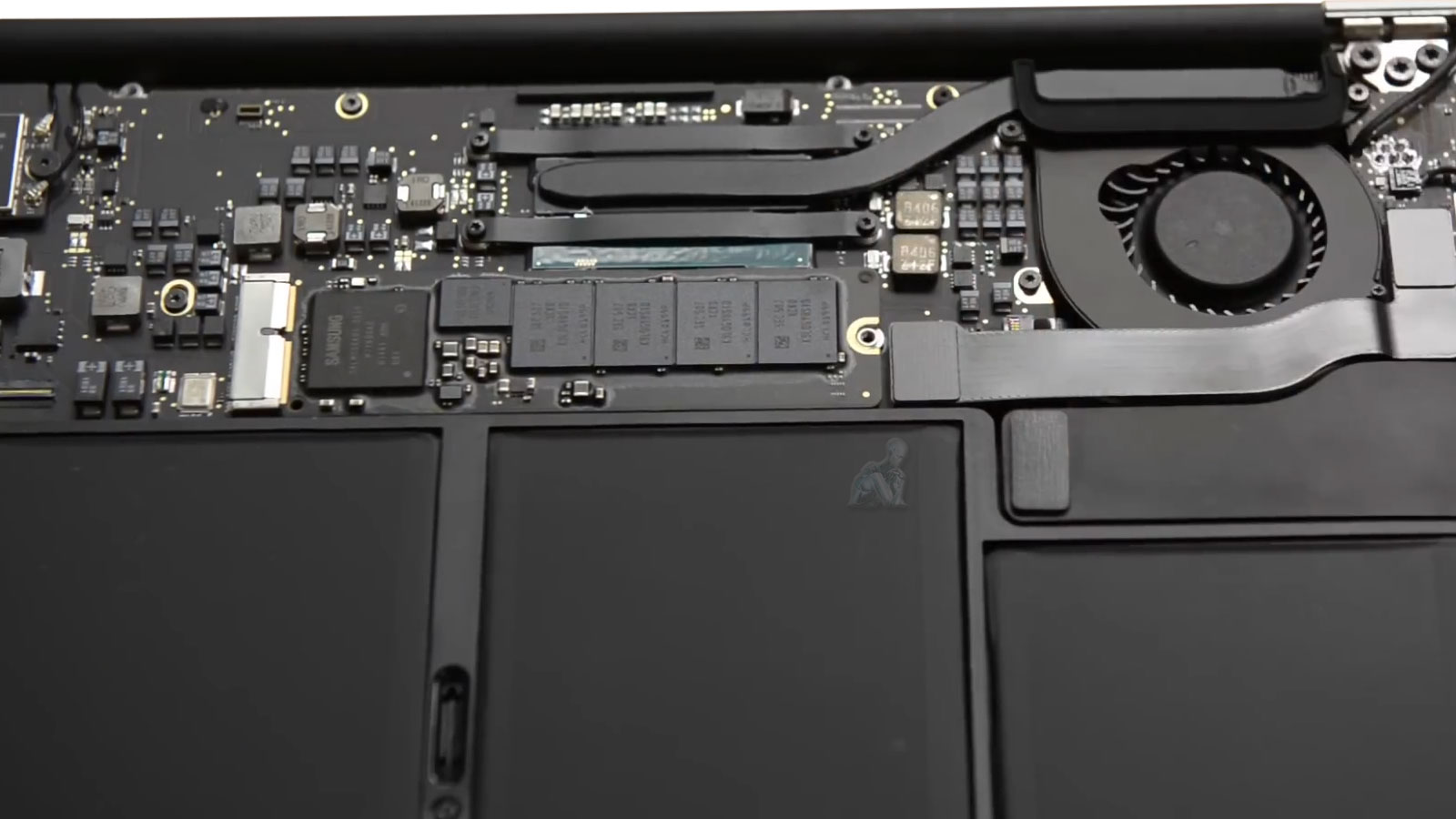
Improving performance in a MacBook Air begins with a precise evaluation of how storage behavior impacts overall system responsiveness. Solid-state storage plays a central role in boot times, application execution, and data access latency. When degradation occurs or capacity limits are reached, the system may exhibit delays, inconsistent read and write performance, or reduced stability under load. Addressing these conditions through a properly matched storage replacement restores consistent throughput and ensures that the system operates within its intended performance parameters.
Reliability is equally dependent on the integrity of the storage medium and its interaction with the logic board architecture. Apple’s proprietary SSD designs require careful consideration of compatibility, firmware alignment, and electrical characteristics during replacement. By selecting appropriate components and maintaining strict installation standards, it becomes possible to enhance both durability and usable capacity without introducing instability. This approach ensures that performance gains are not temporary improvements, but sustained results supported by proper integration at the hardware level.
Signs the Internal Drive May Need Replacement
Storage related issues often present as:
- Long startup times or delayed application launches
- Frequent freezing or system crashes
- Disk Utility reporting errors or SMART warnings
- macOS failing to load or stalling during startup
- Persistent “startup disk full” messages
- Corrupted files or repeated application failures
Addressing these symptoms early can prevent permanent data loss and extend the usable life of the system.
Storage Capacity Options
Common upgrade paths include:
- 256 GB for basic daily use
- 512 GB for work and multitasking environments
- 1 TB or higher for media, development, or professional workloads
Capacity recommendations are based on current usage and expected future needs.
Storage Interface Compatibility and System Integration
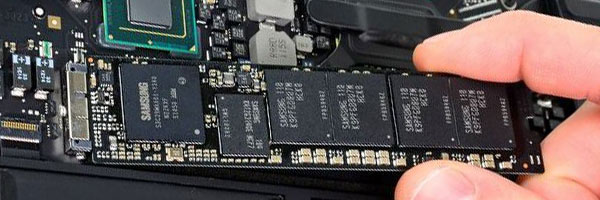
MacBook Air systems are designed with tightly integrated storage architectures, where the interface, firmware, and logic board communication pathways must operate in precise alignment. Unlike standardized desktop environments, Apple’s proprietary SSD configurations require careful verification of connector type, signaling protocol, and system-level compatibility before any replacement is performed. This ensures that the storage module communicates correctly with the system controller, avoiding performance inconsistencies or recognition issues.
Proper integration extends beyond physical installation. It involves validating firmware behavior, ensuring stable data transmission across the storage interface, and confirming that the system initializes and operates without latency anomalies. By maintaining strict compatibility standards, the replacement process preserves system stability while enabling the intended performance and capacity improvements to function reliably over time.
Data Migration and System Continuity
When replacing or upgrading internal storage, maintaining continuity of the operating environment is a critical consideration. Data migration involves securely transferring the operating system, user data, and application structures while preserving file integrity and system configuration. This process requires careful handling to ensure that no corruption occurs during transfer and that the resulting system state remains fully functional.
In cases where direct migration is not feasible due to drive failure or instability, alternative recovery and reconstruction methods are evaluated. These may include selective data extraction or clean system deployment followed by structured data restoration. Each scenario is approached based on the condition of the original storage device, ensuring that the transition to the new SSD maintains as much continuity as possible without compromising reliability.
Drive Replacement and Upgrade Process
Storage Evaluation
The existing drive is assessed to confirm failure, degradation, or capacity limitations. Model compatibility is verified before any recommendation is made.
SSD Installation or Replacement
Where supported, a new solid-state drive is installed to improve speed, reduce heat, and increase long term reliability. Drive type and capacity are selected based on the specific MacBook Air generation.
macOS Installation and Configuration
A clean installation of the latest compatible macOS is performed and optimized for the new storage device.
Data Transfer or Recovery Options
If the original drive is accessible, files, applications, and user settings can be transferred. When drives are partially failed, recovery options are evaluated before replacement.
Final Testing
The system is tested for stability, storage performance, and overall responsiveness before completion.
Supported MacBook Air Models
Service availability varies by generation:
- Intel based MacBook Air systems with removable PCIe storage
- Retina models with limited storage replacement paths
- Apple Silicon models where storage diagnostics and data migration are possible
Each system is evaluated individually to determine the most appropriate solution.
Post-Replacement Validation and Performance Verification
After installation, the system undergoes a series of validation procedures to confirm that the new storage operates within expected parameters. This includes verifying read and write consistency, confirming stable boot sequences, and assessing responsiveness under typical workload conditions. These tests ensure that the replacement has been successfully integrated and that the system is functioning without hidden faults or irregularities.
Performance verification also involves monitoring how the system behaves over sustained use, identifying any thermal, power, or communication issues that could affect long-term reliability. By completing this stage of evaluation, the process moves beyond installation alone and ensures that the MacBook Air delivers stable, predictable performance aligned with its upgraded storage configuration.
Pickup and Delivery Availability
Pickup and return delivery can be arranged within Miami-Dade County when needed.
If your MacBook Air is slow, unstable, or running out of space, a professional storage evaluation can determine whether replacement or upgrade is appropriate. Correcting storage issues restores speed, stability, and confidence in daily use while protecting important data.