
MacBook Pro Software Setup and Configuration in Miami
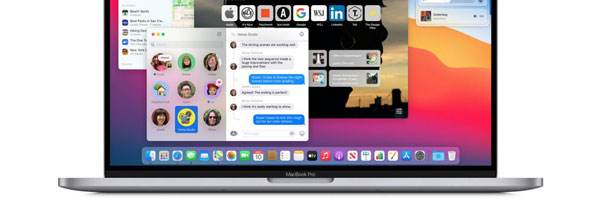
Professional macOS Setup and System Optimization
A MacBook Pro is only as effective as the software environment running on it. Proper configuration ensures stability, security, performance, and compatibility with the tools you rely on every day. This service focuses on setting up macOS correctly, resolving software issues, and tailoring the system to how it will actually be used.
Whether the system is brand new, freshly reset, or struggling with performance problems, a structured software configuration prevents long-term issues and unnecessary frustration.
When Software Configuration Is Recommended
Setting up a new MacBook Pro for the first time
Reinstalling macOS after errors or corruption
System running slow, freezing, or crashing
Applications failing to launch or behaving unpredictably
Preparing a MacBook Pro for work, school, or creative use
Migrating from another Mac or restoring a clean environment
A proper configuration eliminates guesswork and avoids unstable setups.
What the Configuration Service Includes
macOS Installation and Setup
Installation or reinstallation of a compatible macOS version, followed by correct system preferences, security settings, and account configuration.
Application Installation and Configuration
Required software is installed and configured according to usage needs, including productivity tools, creative applications, development environments, and communication software.
Performance Optimization
Startup items, background processes, storage usage, and system behavior are reviewed and adjusted to improve responsiveness and stability.
Updates and Compatibility Checks
System updates, firmware requirements, and application compatibility are verified to prevent conflicts, crashes, or unsupported configurations.
Data and Device Syncing
Optional setup for iCloud, external storage, peripherals, printers, and connected Apple devices to ensure smooth integration.
Who This Service Is For
New MacBook Pro owners who want a clean, correct setup
Users recovering from software errors or failed updates
Students preparing systems for academic use
Professionals relying on creative or technical software
Anyone experiencing unexplained software instability
Each configuration is adapted to the specific workflow, not a generic checklist.
Supported MacBook Pro Systems
Intel based MacBook Pro models
Apple Silicon MacBook Pro models
macOS versions from supported legacy releases through current versions
Single user and multi user configurations
System behavior is evaluated based on model architecture and intended use.
Request Software Configuration
If your MacBook Pro needs a clean setup, system correction, or performance optimization, you can request this service using the contact us page. Providing the model year and a brief description of how the system is used helps streamline the process.