
Call (305) 600-4217 Book Now Get 10% off your repair service
Computer Repair Miamis
  • PC REPAIR
  • LAPTOP REPAIR
  • MAC REPAIR
  • GAMING PC SERVICES
  • SERVICES
  • LOCATIONS
  • CONTACT
  • Click to open the search input field Click to open the search input field Search
  • Menu Menu

How to choose the appropriate network topology

You are here: Home1 / Computer Repair Blog for Diagnostics, Hardware, and System Care2 / Technical Knowledge3 / How to choose the appropriate network topology
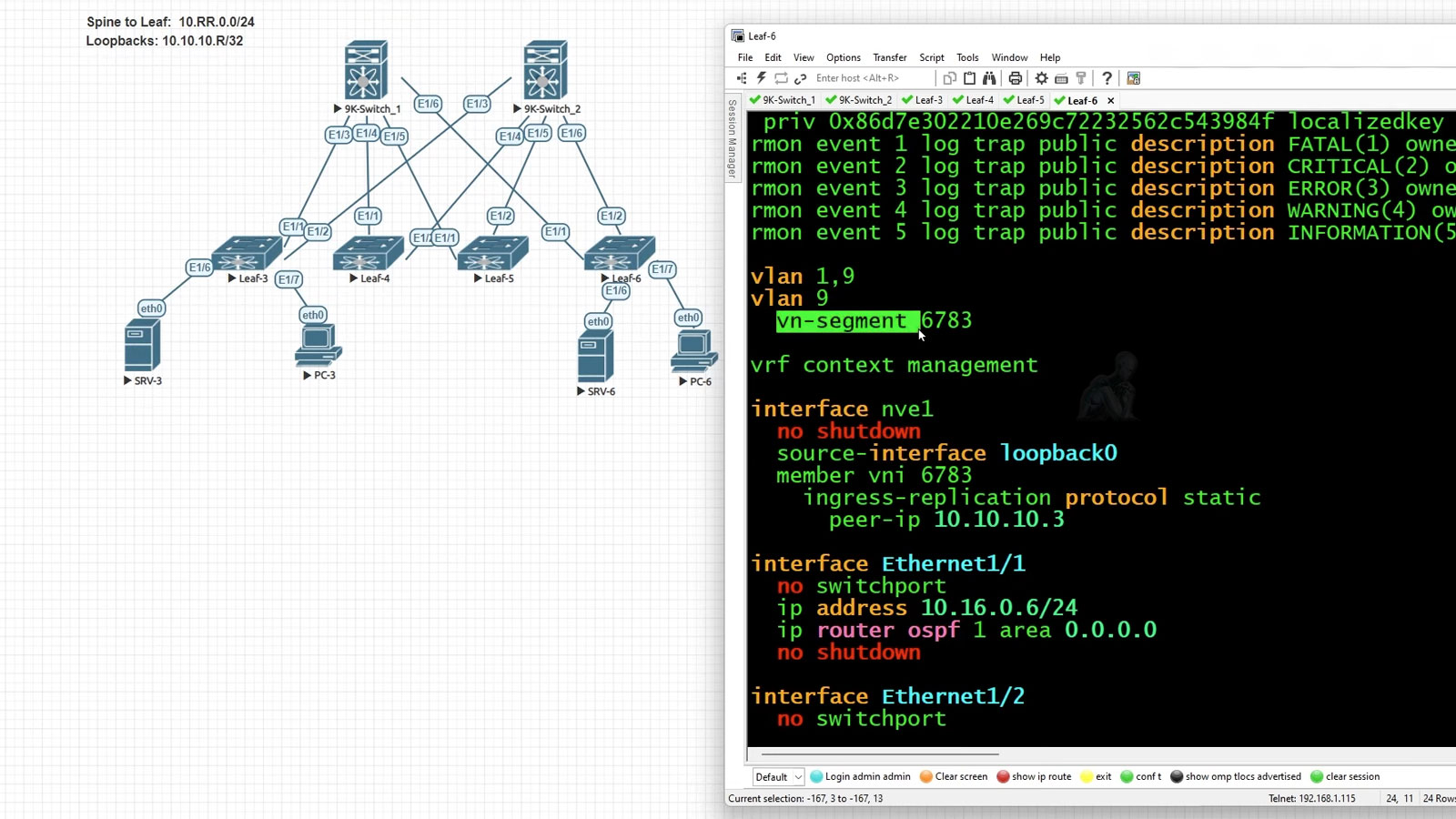
Cisco spine leaf network topology diagram showing spine switches connected to multiple leaf switches for high-speed data center networking

How to Choose the Right Network Topology for Your Business

Choosing the appropriate network topology is crucial for building a reliable and scalable network infrastructure. Whether you’re setting up a small office network or a large enterprise system, understanding different network architectures can help you make the best decision.

Client-Server vs. Peer-to-Peer Networks

When designing a network, one of the first decisions you need to make is whether to implement a client-server network or a peer-to-peer network.

Client-Server Network (Server-Based)

A client-server network is ideal for organizations with more than 10 computers that require:
Centralized management
Enhanced security
Scalability for future growth

Advantages of a Client-Server Network:

  • Centralized resource sharing: A dedicated server manages file storage, security, and administrative functions.
  • Improved security: User authentication is controlled by a domain controller (e.g., Microsoft Active Directory).
  • Easier maintenance: All user accounts and permissions are centrally managed, reducing administrative workload.
  • Scalability: Supports an unlimited number of devices as the business grows.

Disadvantages:

  • Higher costs: Requires a dedicated server and a Network Operating System (NOS).
  • Increased complexity: Needs an IT administrator to manage the system.

Peer-to-Peer Network

A peer-to-peer (P2P) network is best suited for small businesses or home networks with fewer than 10 devices.

Advantages of a Peer-to-Peer Network:

  • Low cost: No need for a dedicated server.
  • Easy setup: Simple configuration without requiring advanced networking knowledge.
  • No centralized control: Each device manages its own files and settings.

Disadvantages:

  • Limited security: Each user must be set up individually on every device.
  • Difficult to scale: Managing multiple users and permissions becomes complex as the network grows.
  • Increased maintenance: No centralized system for backups or resource management.

Recommendation:
If you need a cost-effective, simple network, go with a peer-to-peer setup. However, if your business requires scalability, security, and centralized administration, a server-based network is the best choice.

Understanding Network Topologies

A network topology refers to how devices and cables are arranged in a network. Choosing the right topology impacts installation cost, fault tolerance, and scalability.

Types of Network Topologies:

Topology Description Pros Cons
Bus Topology A single cable runs through all connected devices. Low-cost cabling, Simple installation Difficult to expand, If cable breaks entire network fails
Star Topology All devices connect to a central hub or switch. Easy to add or remove devices, Failure of one device does not affect the network Requires more cabling, If central hub fails network goes down
Ring Topology Devices are connected in a circular fashion. Data travels in a single direction reducing collisions If one device fails network is disrupted, Harder to troubleshoot
Mesh Topology Every device is connected to every other device. High fault tolerance, Reliable data transmission Expensive and complex, High setup costs
Hybrid Topology Combination of two or more topologies. Flexible and scalable, Can optimize for performance and cost Can be complex to configure, More expensive than single topologies

Choosing the Best Network Topology

When selecting a network topology, consider the following factors:

Budget A bus topology is the cheapest, while mesh is the most expensive.
Scalability Star and mesh topologies support easy expansion.
Fault Tolerance Mesh and star topologies prevent network-wide failures.
Ease of Maintenance Star topology is simple to troubleshoot.

Pro Tip: Star topology is the most commonly used for business networks due to its reliability and ease of expansion.

Choosing the right network topology depends on your business needs, security requirements, and growth potential.

Small networks (under 10 devices): Peer-to-peer or bus topology
Growing businesses (10+ devices): Client-server with star topology
Large enterprises: Server-based networks with mesh or hybrid topology

Need Help Setting Up Your Network?
Contact us for expert network design and installation services.

Call Us | Expert IT Solutions | Network Installation | Business Connectivity Services

Explore Topics

Repair Insights

  • CPU being removed from a desktop computer during hardware repair and component replacement.
    A Failed Part May Be Only One Piece of the ProblemAugust 8, 2026 - 10:54 pm
  • Open desktop PC showing heavy dust buildup on the fans and internal components restricting airflow.
    Cooling Problems Rarely Begin as Obvious FailuresMay 11, 2026 - 9:25 pm
  • Vietnam War video game frozen on a computer screen during gameplay without displaying a blue screen.
    Computer Randomly Freezes Without a Blue ScreenMarch 20, 2026 - 12:10 am
  • Laptop motherboard showing liquid damage and corrosion around an integrated circuit.
    Liquid Damage Continues After the SpillJanuary 3, 2026 - 10:54 pm
  • Best Apple MacBook Pro, MacBook Air, iMac, and Mac mini repair services in Miami, FL
    Best Apple Mac Repair Services in Miami, FLMarch 2, 2025 - 6:34 pm
  • ASUS ROG Zephyrus Laptop Repair and Upgrade Evaluation
    It’s time to either repair your laptop or upgrade!March 2, 2025 - 4:57 pm
  • CORSAIR HX1500i Power Supply Repair and Upgrade Evaluation
    PSU Repair or Upgrade Services in 2025March 2, 2025 - 6:03 am
  • Best Gaming Motherboard Repair or Replacement 2025
    Best Gaming Motherboard Repair or Replacement 2025March 2, 2025 - 4:19 am

Technical Knowledge

  • Laptop with an M.2 SSD and 2.5-inch SSD that support SMART drive health monitoring.
    The SMART Drive Health DataAugust 8, 2026 - 11:29 pm
  • TUF Gaming UEFI BIOS interface showing system configuration and boot settings before Windows starts.
    The UEFI Boot ProcessJune 10, 2026 - 10:12 pm
  • Binary data with individual zeros and ones highlighted to illustrate memory bit errors corrected by ECC memory.
    Memory Errors MatterApril 7, 2026 - 7:44 pm
  • DNS resolution process showing a computer communicating with a recursive resolver, root server, TLD server, authoritative DNS server, and destination web server.
    What Is DNSFebruary 18, 2026 - 11:36 pm
  • Custom-built gaming PC with multiple RGB fans, high-performance GPU, visible motherboard circuitry, cable routing, and vibrant internal lighting throughout the case
    Building the Ultimate Gaming PC in 2025 for High PerformanceJune 11, 2025 - 10:13 pm
  • Autonomous car on a highway using onboard sensors and cameras to detect nearby vehicles, track lane positioning, and process real-time driving conditions without a human driver
    The Future Is Autonomous Systems Driven by AI DiagnosticsJune 11, 2025 - 9:58 pm
  • Autonomous AI system performing real-time diagnostics and data processing
    Agentic AI and Generative Intelligence Redefining the LandscapeJune 11, 2025 - 9:37 pm
  • User interacting with virtual reality interface simulating AI diagnostics and digital environments
    Navigating Today’s Tech Realities with ConfidenceJune 11, 2025 - 8:56 pm
  • Legion gaming laptop with back cover removed showing internal components, dual cooling fans, heat pipes, and dust buildup for maintenance inspection
    Detecting if your gaming laptop requires air cleaning maintenanceApril 12, 2025 - 1:08 am
  • ASUS ROG Strix motherboard inside a custom-built gaming PC running with visible components, active lighting, and system operation
    The Best Practices for Building a Custom Gaming PCApril 12, 2025 - 12:48 am
  • Custom-built PC with hard tube liquid cooling system open during repair, showing fittings being removed after a water leak
    Mistakes to Avoid when trying to Repair a Liquid Damaged PCApril 12, 2025 - 12:32 am
  • AORUS gaming PC with blue LED cooling fans actively running, showing internal components and illuminated system performance setup
    Enhance the Performance of your Gaming PC for streamingApril 12, 2025 - 12:01 am
  • Laptop open with colorful lighting across the keyboard and display
    Identifying the causes of slow laptop performanceApril 11, 2025 - 11:36 pm
  • Intel Core i9 9th Generation Unlocked Desktop Processor Evaluation
    In 2025, which CPUs are the best for upgrading or replacing?March 2, 2025 - 5:05 am
  • Protect yourself and your Computer Hardware
    Protect yourself and your Computer HardwareApril 24, 2014 - 5:13 pm
  • Choosing the Right Memory Replacement
    Finding the Best Memory ReplacementApril 24, 2014 - 4:20 pm
  • Laptop internal view showing 2.5 inch HDD drive and hardware components with bottom cover removed
    How to Replace your Laptop HDDApril 24, 2014 - 3:29 pm
  • Desktop keyboard with LED backlit keys illuminated during use
    Learning about computer keyboardsFebruary 6, 2014 - 1:08 pm
  • Latest MacBook Pro shown from front and back with display and aluminum chassis design
    MacBook Pro is the Best for your BusinessDecember 28, 2013 - 6:04 pm
  • Recommendations On How to Fix a Laptop Or Notebook Battery Not Charging
    Recommendations On How to Fix a Laptop Or Notebook Battery Not ChargingDecember 27, 2013 - 12:40 am

Contact

Call (305) 600-4217

support@computerrepairmiamis.com

More Information

Blog

Contact Page

Core Services

  • PC Repair
  • Laptop Repair
  • Mac Repair
  • Data Recovery
  • Virus Removal
  • Networking
  • View All Services

Service Areas

  • Miami
  • Miami Beach
  • Coral Gables
  • Hialeah
  • Doral
  • Homestead
  • View All Locations

Operating Hours

🕒 Monday through Saturday
9:00 AM to 6:00 PM

Service Area
Serving Miami and surrounding areas throughout Miami-Dade County

© 2011-2026 Computer Repair Miamis. All Rights Reserved.
Privacy Policy · Terms of Service · Service & Repair Policy
  • Link to X
  • Link to Instagram Link to Instagram Link to Instagram
  • Link to Tumblr
  • Link to Pinterest
  • Link to Facebook Link to Facebook Link to Facebook
  • Link to Vimeo
Scroll to top Scroll to top Scroll to top