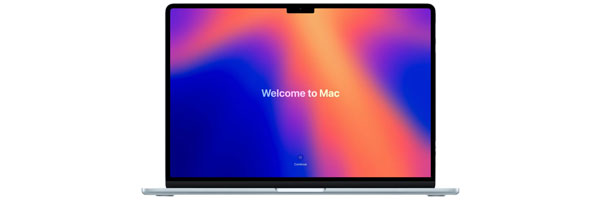
MacBook Air Data Transfer and Migration Services in Miami
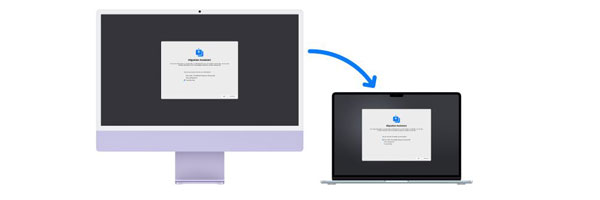
Professional Data Migration for MacBook Air Systems
🚚 Moving to a New MacBook Air and Want Everything Done Right the First Time?
Getting a new MacBook Air should feel exciting, not stressful. Transferring years of files, applications, and settings can quickly become frustrating if something is missed or copied incorrectly. A proper data transfer ensures your new MacBook Air feels familiar, organized, and ready to use from the moment you power it on.
Our MacBook Air data transfer service focuses on accuracy, privacy, and continuity. Whether you are upgrading from another Mac, switching from Windows, or recovering files from an older or damaged system, we make sure your data arrives intact and fully usable.
What Our MacBook Air Data Transfer Service Includes
Each transfer is handled carefully and tailored to how you use your computer:
- Full transfer of documents, photos, videos, music libraries, and personal folders
- Migration of compatible applications and related data
- Recreation of your user environment, including desktop layout, Dock, and system preferences
- Email account setup and synchronization for iCloud, Google, Outlook, or custom servers
- Cross-platform transfers from Windows systems to macOS
- Integration of Time Machine backups, external drives, and mobile devices when needed
Your files remain private at all times. Data is handled securely and never accessed beyond the scope of the transfer.
Our Data Transfer Process
Assessment and Planning
We begin by reviewing the source device and the new MacBook Air. This allows us to confirm compatibility, identify essential data, and exclude anything you no longer need.
Secure Data Migration
Using professional tools and direct connections, we transfer your data while monitoring file integrity to prevent corruption or loss.
Setup and Verification
After the transfer, we confirm that applications launch correctly, accounts are synced, and your system behaves exactly as expected.
Why Professional Data Transfer Matters
A proper transfer saves time and prevents common issues such as missing files, broken applications, or misconfigured settings.
- Minimal downtime with a faster setup process
- Local, secure data handling without unnecessary cloud exposure
- Accurate migration that preserves your workflow
- Personalized configuration based on how you actually use your MacBook Air
Common Situations We Handle
- Upgrading from an older MacBook or iMac
- Moving from a Windows PC to a MacBook Air
- Preparing a MacBook Air for a student or professional user
- Transferring data from a system that no longer boots
- Creating a clean but familiar setup for work or personal use
Why Clients Choose Our Data Transfer Service
- Apple-focused technicians with real-world macOS experience
- Careful handling of personal and professional data
- Clear communication throughout the process
- Flexible service options, including in-store and remote assistance
- Proven experience with both simple and complex migrations
Schedule Your MacBook Air Data Transfer
If you want your new MacBook Air set up correctly without the frustration of manual transfers, professional data migration is the safest way to move forward. A clean, complete transfer lets you start using your system immediately, with everything exactly where it should be.