Laptop Diagnostics and Repair in Miami

Identify the Issue Before You Repair

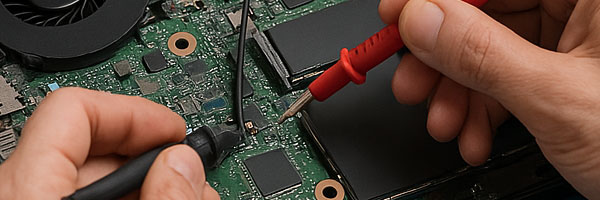
When a laptop starts acting up, guessing can lead to unnecessary repairs or wasted money. A proper diagnostic identifies the exact cause of the problem before any work is done. This service is designed to uncover hardware faults, software issues, and performance bottlenecks so you can make informed decisions about the next steps.

Whether the issue involves power, performance, stability, or startup failures, a detailed diagnostic provides clarity instead of assumptions.

What a Laptop Diagnostic Covers

A complete diagnostic combines hands-on inspection with advanced testing tools to evaluate your system thoroughly.

Hardware Diagnostics
Power delivery and charging circuits are tested along with memory, storage, motherboard components, and thermal performance. Input devices and display functionality are also checked to rule out related failures.

Software Troubleshooting
Operating system errors, startup issues, driver conflicts, crashes, and performance slowdowns are analyzed on both Windows and macOS systems.

Thermal and Battery Evaluation
Battery health, charging behavior, fan operation, and heat management are reviewed to identify overheating risks or power-related instability.

Once the diagnostic is complete, you receive a clear explanation of the findings along with practical repair recommendations, without pressure or unnecessary add-ons.

Laptop Brands and Systems Diagnosed

Diagnostics are performed on all major laptop brands and configurations, including:

• Apple MacBook, MacBook Air, MacBook Pro
• Dell XPS, Inspiron, Latitude
• HP Pavilion, Spectre, Envy
• Lenovo ThinkPad, IdeaPad, Yoga
• ASUS, Acer, Microsoft Surface, Samsung, and others

This includes business laptops, gaming systems, student devices, and ultrabooks.

Why a Proper Diagnostic Matters

• Prevents unnecessary part replacements
• Identifies root causes instead of symptoms
• Saves time and repair costs
• Helps prioritize critical repairs
• Provides transparency before committing to service

A diagnostic ensures repairs are targeted and justified, not guesswork.

Service Area

Laptop diagnostics are available throughout Miami-Dade County, including Miami, Brickell, Coral Gables, Doral, Kendall, Aventura, Hialeah, Pinecrest, Cutler Bay, Homestead, North Miami, and surrounding areas.


Schedule a Laptop Diagnostic

Phone: 305-600-4217
Hours: Monday – Sunday | 9:00 AM – 7:00 PM

Pickup and return delivery is available within Miami-Dade County when needed.
MacBook Pro Software Setup and Configuration in Miami

Professional macOS Setup and System Optimization

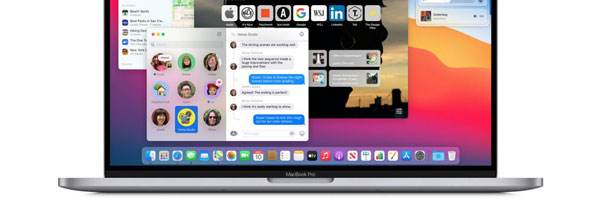
A MacBook Pro is only as effective as the software environment running on it. Proper configuration ensures stability, security, performance, and compatibility with the tools you rely on every day. This service focuses on setting up macOS correctly, resolving software issues, and tailoring the system to how it will actually be used.

Whether the system is brand new, freshly reset, or struggling with performance problems, a structured software configuration prevents long-term issues and unnecessary frustration.


When Software Configuration Is Recommended

Setting up a new MacBook Pro for the first time
Reinstalling macOS after errors or corruption
System running slow, freezing, or crashing
Applications failing to launch or behaving unpredictably
Preparing a MacBook Pro for work, school, or creative use
Migrating from another Mac or restoring a clean environment

A proper configuration eliminates guesswork and avoids unstable setups.


What the Configuration Service Includes

macOS Installation and Setup
Installation or reinstallation of a compatible macOS version, followed by correct system preferences, security settings, and account configuration.

Application Installation and Configuration
Required software is installed and configured according to usage needs, including productivity tools, creative applications, development environments, and communication software.

Performance Optimization
Startup items, background processes, storage usage, and system behavior are reviewed and adjusted to improve responsiveness and stability.

Updates and Compatibility Checks
System updates, firmware requirements, and application compatibility are verified to prevent conflicts, crashes, or unsupported configurations.

Data and Device Syncing
Optional setup for iCloud, external storage, peripherals, printers, and connected Apple devices to ensure smooth integration.


Who This Service Is For

New MacBook Pro owners who want a clean, correct setup
Users recovering from software errors or failed updates
Students preparing systems for academic use
Professionals relying on creative or technical software
Anyone experiencing unexplained software instability

Each configuration is adapted to the specific workflow, not a generic checklist.


Supported MacBook Pro Systems

Intel based MacBook Pro models
Apple Silicon MacBook Pro models
macOS versions from supported legacy releases through current versions
Single user and multi user configurations

System behavior is evaluated based on model architecture and intended use.


Request Software Configuration

If your MacBook Pro needs a clean setup, system correction, or performance optimization, you can request this service using the contact us page. Providing the model year and a brief description of how the system is used helps streamline the process.