All-in-One Computer Cleaning and Maintenance Services in Miami
Prevent Overheating, Slowdowns, and Premature Hardware Failure
Keep It Clean. Keep It Cool. Keep It Running Like New.
🖥️ Why Your All-in-One Desktop Needs Regular Maintenance
All-in-One computers are compact and powerful, but over time, dust, debris, and aging software can take a toll on performance and lifespan. If your system is running hot, lagging, or just not performing like it used to, it may be time for a professional clean-up, inside and out.
At Computer Repair Miamis, we offer expert All-in-One PC cleaning and maintenance services to restore speed, stability, and longevity to your machine, whether you use it for business, creative work, or home use.
🧼 What’s Included in Our AIO Cleaning & Tune-Up Service?
Our all-in-one cleaning and maintenance package covers everything your system needs to perform like new again:
Internal Hardware Cleaning
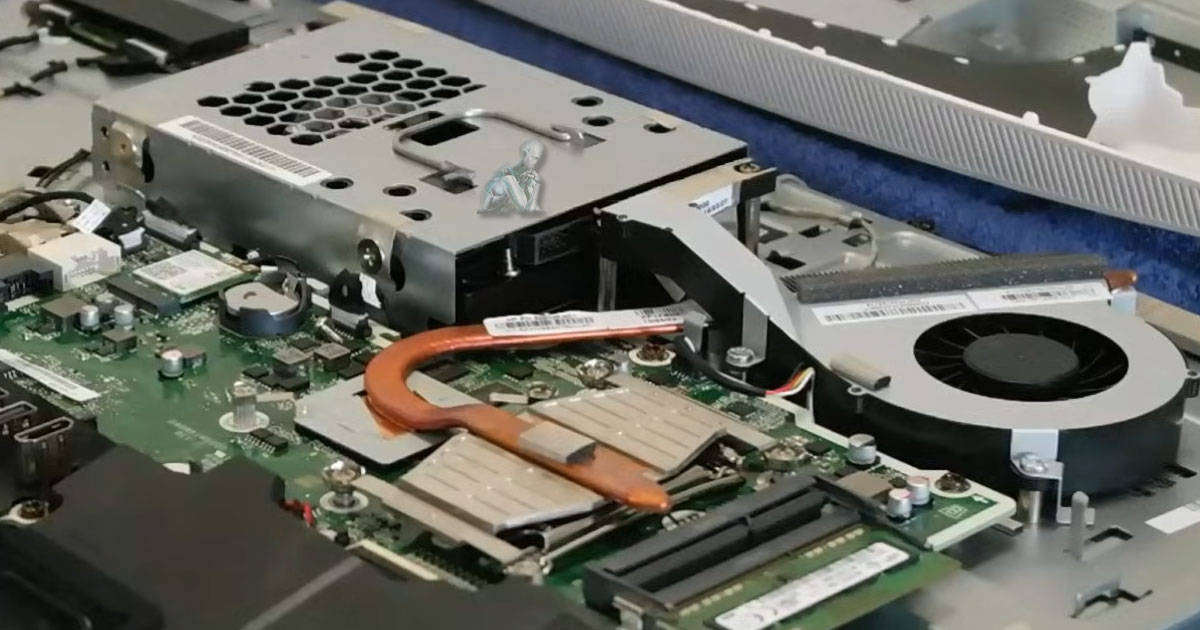
- ✅ Dust and debris removal from fans, vents, and internal components
- ✅ Thermal paste replacement (if needed) for better CPU cooling
- ✅ Inspection of power supply, motherboard, and internal cabling
- ✅ Improved airflow and heat dissipation
External Cleaning & Detailing
- ✅ Screen cleaning with safe, anti-static solutions
- ✅ Keyboard, touch interface, and port cleaning
- ✅ Chassis wipe-down and polish
Software Maintenance
- ✅ System cleanup (junk files, unused programs, cache)
- ✅ Startup optimization
- ✅ Driver and firmware updates
- ✅ Antivirus and malware scan
- ✅ OS updates and health check
🔧 Signs Your All-in-One Needs Maintenance
- Loud fan noise or overheating
- Slower performance or lagging apps
- Unexpected shutdowns or freezes
- Physical dust buildup around vents
- Unresponsive or glitchy touchscreen
- Trouble connecting peripherals or devices
🧠 A regular cleaning and tune-up can resolve these issues before they turn into costly repairs.
🛠️ Our Maintenance Process: Fast, Thorough, Professional
Step 1: System Evaluation
We start by inspecting your machine inside and out. This includes performance testing, thermal readings, and a visual hardware inspection.
Step 2: Deep Cleaning & Optimization
Using safe tools and anti-static methods, we clean internal components and fans, clear out software clutter, and bring your system back to optimal health.
Step 3: Post-Service Review & Recommendations
Once the service is complete, we provide a summary report with insights and suggestions to keep your AIO running smoothly.
⚙️ Supported Brands & Models
We maintain and clean all popular All-in-One models, including:
- Apple iMac & iMac Pro
- HP Pavilion & Envy AIO
- Dell Inspiron & XPS AIO
- Lenovo IdeaCentre AIO
- ASUS Vivo AIO
- Acer Aspire AIO
Whether it’s a 21.5” workhorse or a 32” creative powerhouse, we’ve got you covered.
🌟 What Sets Our Computer Repair Services Apart in Miami?
- 💼 Professional-grade tools & techniques
- ⏱️ Quick turnaround times
- 🧑🔧 Experienced in AIO hardware & macOS/Windows systems
- 🧰 Preventative care to avoid future breakdowns
- 🧼 Cleaner, quieter, longer-lasting machines
📦 Book Your Cleaning & Maintenance Today
Don’t wait for your All-in-One to overheat or slow to a crawl. A simple cleaning today can save you from major repairs tomorrow.