
MacBook Air Diagnostics and Repair in Miami
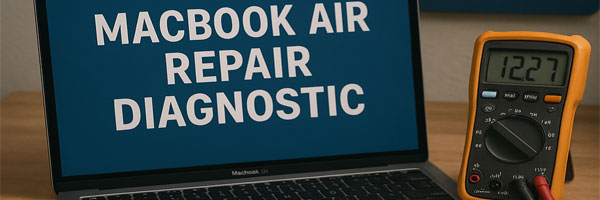
Accurate Troubleshooting Before Any Repair Decision

When a MacBook Air starts acting unpredictably, guessing can make things worse. Power issues, slowdowns, display problems, or random shutdowns often share symptoms but come from very different causes. A proper diagnostic removes uncertainty and gives you clear answers before anything is repaired or replaced.

Our MacBook Air diagnostic service focuses on identifying the real issue, not rushing into fixes. Each system is examined carefully, results are explained clearly, and you stay in control of what happens next.


What the Diagnostic Covers

Full Hardware Review

Key components are tested to check stability, power flow, and communication between systems. This includes internal circuits, charging behavior, cooling response, and connected components.

Software and System Analysis

macOS performance, background processes, error logs, and system conflicts are reviewed to detect corruption, misconfigurations, or software-related slowdowns.

Storage and Memory Health

SSD performance, system memory behavior, and fan response are evaluated to uncover hidden bottlenecks or early failure signs.

Input and Display Testing

Keyboard, trackpad, ports, and display output are checked to ensure issues are not coming from peripheral or connection faults.


What You Receive After Evaluation

  • A clear explanation of what’s causing the issue
  • Confirmation if no repair is actually needed
  • Repair options with realistic timelines and cost
  • The choice to proceed or stop, no pressure either way

Simple issues can often be resolved quickly. More complex problems are explained before any work begins.


When a Diagnostic Makes Sense

  • The MacBook Air does not power on or charge reliably
  • Performance has slowed without a clear reason
  • The system freezes, restarts, or crashes unexpectedly
  • Fans run loudly or heat builds up during light use
  • Liquid exposure, drops, or electrical issues occurred
  • The device feels “off” even though it still works

Diagnostics are not only for broken systems. They are just as valuable for catching problems early.


Supported MacBook Air Systems

  • Intel-based MacBook Air models
  • Apple Silicon MacBook Air systems
  • All common screen sizes and configurations
  • macOS versions from Catalina through Sonoma

Service Availability

Support is available throughout Miami-Dade County. Diagnostics are performed in a controlled lab environment, with handling focused on safety, accuracy, and device integrity.


Get Clear Answers Without Guesswork

A diagnostic is about clarity, not commitment. If your MacBook Air isn’t behaving the way it should, getting a proper assessment can save time, money, and unnecessary repairs.

📞 305-600-4217
🕘 Monday through Sunday, 9:00 AM to 7:00 PM

iMac Data Recovery Services in Miami

Professional Recovery for Files That Matter

Losing data on an iMac can feel overwhelming, especially when the system will not start or important files suddenly disappear. Accidental deletion, drive failure, software corruption, or power related damage can all make data inaccessible. In many cases, the information is still there and recoverable with the right approach.

Our iMac data recovery service focuses on careful analysis and controlled recovery methods designed to protect your files while giving you clear answers about what can and cannot be retrieved.


Situations We Commonly Recover From

  • iMacs that no longer boot or freeze during startup
  • Drives that show errors, disappear, or fail to mount
  • Files deleted by mistake or lost after formatting
  • macOS update failures or incomplete installations
  • Fusion Drive issues and split volume corruption
  • Water exposure or electrical surge damage
  • Time Machine backup problems

Personal documents, creative projects, work data, and archived files are all handled with the same level of care.


How the Recovery Process Works

Initial Evaluation

Your iMac or storage device is examined to identify the type of failure and determine the safest recovery method. No recovery attempt is made until the condition is fully understood.

Logical Recovery

For deleted files, file system damage, or software related issues, advanced recovery tools are used to reconstruct data without harming the drive.

Physical Recovery

When hardware damage is present, controlled techniques are used to access the drive safely and extract data while minimizing additional risk.

File Organization

Recovered files are reviewed and organized so they are usable and easy to navigate rather than returned as raw fragments.

Data Return Options

Recovered data can be delivered on an external drive, new storage device, or prepared for cloud transfer depending on your preference.


Supported iMac Systems and Storage Types

  • 21.5 inch, 24 inch, and 27 inch iMac models
  • Intel based and Apple Silicon systems
  • Standard HDD, SSD, and Fusion Drive configurations
  • APFS and HFS+ file systems
  • Encrypted volumes and Time Machine backups
  • iMac Pro systems

Recovery options vary by model and storage design, especially on newer Apple Silicon systems, and are discussed clearly before proceeding.


Privacy and Data Handling

Your data remains confidential at all times.

  • All recovery work is performed in house
  • No third party access to files
  • No data retained without approval
  • Confidentiality agreements available if required

Your files are treated as private property, not test material.


Service Availability

Support is available throughout Miami Dade County. Pickup and return arrangements can be coordinated when needed, and all recovery work is performed in a controlled local environment.


When Time Matters

Continuing to power on a failing iMac or reinstalling macOS repeatedly can reduce recovery chances. Early evaluation often makes the difference between partial and complete recovery.

📞 305-600-4217
🕘 Monday through Sunday, 9:00 AM to 7:00 PM