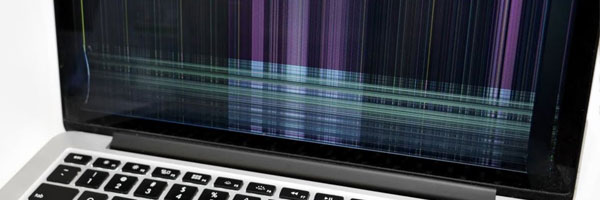
MacBook Pro Keyboard Replacement and Repair in Miami
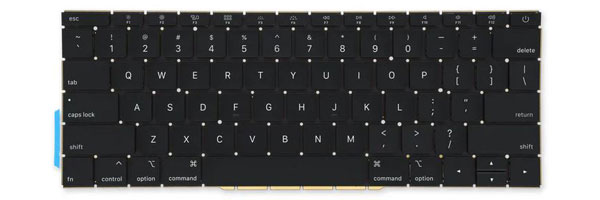
Precision Key Restoration and Full Input Reliability
The keyboard is one of the most heavily used components of a MacBook Pro, and when it begins to fail, productivity quickly suffers. Missed keystrokes, repeated characters, unresponsive keys, or complete keyboard failure can make even basic tasks frustrating or impossible. In many cases, keyboard issues are caused by internal wear, liquid exposure, battery swelling, or failures within the key mechanism itself.
MacBook Pro keyboard replacement focuses on restoring consistent, accurate input while protecting the surrounding components such as the trackpad, battery, speakers, and logic board. Because many MacBook Pro keyboards are integrated into the upper case assembly, replacement requires careful disassembly and precise reinstallation.
Common Keyboard Problems
Keyboard replacement is typically required when a MacBook Pro experiences:
- Sticky, jammed, or slow-returning keys
- Keys that do not register input
- Repeating characters or erratic typing behavior
- Broken or missing keycaps
- Non-functional keyboard backlight
- Keyboard failure following liquid exposure
- Trackpad issues caused by battery swelling beneath the keyboard
- Complete loss of keyboard response
These symptoms usually indicate hardware failure rather than software or macOS configuration issues.
Replacement Scope and Process
Keyboard replacement begins with confirming that the issue is isolated to the keyboard and not related to the logic board or input controller. The affected keyboard assembly is then removed and replaced with a model-specific component designed for the exact MacBook Pro generation. All flex cables, backlight connections, and grounding points are carefully reinstalled, followed by full functional testing.
After replacement, key response, backlight behavior, modifier keys, and power button functionality are verified to ensure consistent performance across the entire keyboard.
Supported MacBook Pro Models
Keyboard replacement applies to all major MacBook Pro configurations, including:
- 13-inch, 14-inch, 15-inch, and 16-inch models
- Intel-based systems (2012–2020)
- Apple Silicon systems (M1, M2, and later)
- Retina display models
- Touch Bar and Magic Keyboard designs
Each generation uses a different keyboard construction, which is taken into account during service.
Why Timely Keyboard Replacement Matters
Continuing to use a failing keyboard can lead to secondary issues, especially when battery swelling is involved. Pressure from beneath the keyboard can damage the trackpad, speakers, or internal cabling. Replacing the keyboard early helps preserve internal alignment, restore typing accuracy, and prevent further internal damage.
For convenience, pickup and return delivery can be arranged within Miami-Dade County when needed.