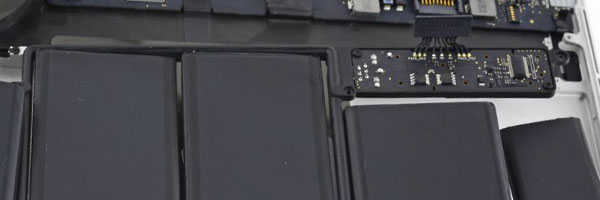
MacBook Pro Logic Board Repair in Miami
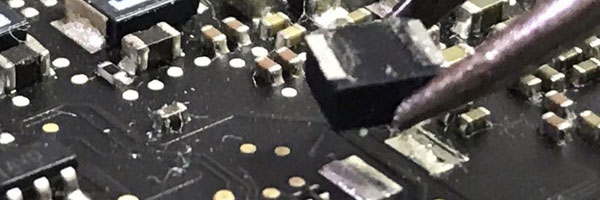
Component-Level Diagnosis and Board Restoration
The logic board is the central control system of a MacBook Pro. It manages power distribution, data flow, charging, display output, storage access, and communication between every internal component. When the logic board develops faults, the entire system can fail regardless of the condition of individual parts.
This service focuses on diagnosing logic board failures at the circuit level and restoring functionality through targeted component repair rather than unnecessary full board replacement.
Common Logic Board Failure Symptoms
MacBook Pro does not power on
No charging or intermittent charging behavior
Black screen with or without fan activity
Unexpected shutdowns or restart loops
Kernel panics or system instability
Peripheral failures such as Wi-Fi, Bluetooth, or USB
No response after liquid exposure
Logic board issues often resemble battery, screen, or charger problems, which is why proper diagnosis is critical.
Diagnostic and Evaluation Process
Each MacBook Pro is fully evaluated to determine whether the logic board is the source of failure. The diagnostic process includes:
Power rail and voltage analysis
Short circuit detection
Thermal behavior inspection
Signal and data line tracing
Visual inspection for corrosion or component damage
This allows precise identification of failed circuits or components.
Logic Board Repair Procedures
Component-Level Repair
Failed capacitors, resistors, power controllers, MOSFETs, and logic ICs are repaired or replaced directly on the board using micro-soldering techniques.
Chip-Level Rework
Where applicable, GPU, power management, or controller chips may undergo reflow or reballing procedures based on failure type and board condition.
Corrosion Treatment
Boards affected by liquid exposure are cleaned and stabilized to remove conductive residue and halt corrosion spread.
Post-Repair Validation
After repair, the system is tested for power stability, charging behavior, display output, storage access, wireless functionality, and thermal performance.
MacBook Pro Models Supported
13-inch, 14-inch, 15-inch, and 16-inch MacBook Pro
Intel-based systems from 2012 through 2020
Apple Silicon systems (M1 and M2), evaluated per case
Retina display and Touch Bar configurations
Some Apple Silicon logic boards have architectural limitations that affect repair viability. These are determined during evaluation.
Liquid-Related Board Failures
Logic boards damaged by liquid exposure often suffer delayed failure due to corrosion beneath components and shielding. This service includes evaluation and repair for boards affected by:
Water exposure
Beverage spills
Condensation or humidity intrusion
Power shorting caused by residue
Early inspection significantly improves repair success.
When Logic Board Repair Is Appropriate
Logic board repair is recommended when symptoms persist despite functional batteries, displays, chargers, or storage devices. It is especially appropriate when replacement is suggested without circuit-level analysis.
Requests for evaluation or service can be submitted through the contact us page.