• Home |
  • SITEMAP
Computer Repair Miamis logo
  • DESKTOP
    • Desktop Data Recovery
  • LAPTOP
    • LAPTOP DATA RECOVERY
  • MAC REPAIR
    • MAC DATA RECOVERY
    • iPHONE
  • Services
  • Areas we Serve
  • BLOG
  • CONTACT US
    • SITEMAP
    • FREE DELIVERY
  • Home
  • » Desktop Services » All-in-One Computer Hardware Upgrades

All-in-One Computer Hardware Upgrades

Smarter Hardware Improvements Without Replacing Your System

Power Up Your Performance Without Buying a New System


🖥️ Is Your All-in-One Desktop Starting to Feel Outdated?

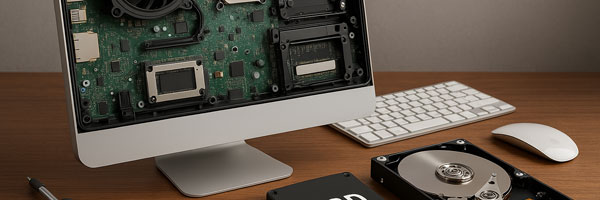
All-in-One computers are built for simplicity and style, but that doesn’t mean you’re stuck with outdated performance. If your system is lagging, running out of storage, or struggling with modern applications, a hardware upgrade might be all you need.

We specialize in professional hardware upgrades for All-in-One desktops, including Apple iMacs and top Windows-based models. Whether you’re a casual user, creative professional, or small business, we’ll help you get more life, and speed, out of your machine.


🔧 What Can We Upgrade?

Even though All-in-Ones are compact, many models are still upgradeable. Our most common upgrades include:

💾 Solid-State Drive (SSD) Upgrade

  • Lightning-fast boot times and file access
  • Increased durability and lower power usage
  • Ideal for replacing slow, aging hard drives

🧠 RAM (Memory) Expansion

  • Better multitasking and app responsiveness
  • Smoother performance for graphic design, video editing, and productivity software
  • Recommended for users experiencing frequent slowdowns

🧱 Graphics Card (GPU) Upgrades (model-dependent)

  • Enhanced visual performance for 3D rendering, video editing, or gaming
  • Improved support for dual monitors and high-res displays

🔌 Cooling System Enhancements

  • Quieter operation
  • More stable performance during heavy tasks
  • Reduced wear on internal components

🔋 Power Supply & Peripheral Upgrades

  • For improved reliability, energy efficiency, and system longevity

💡 Why Upgrade Instead of Replace?

  • ✅ Cost-Effective: Spend less than half the cost of a new machine
  • ✅ Eco-Friendly: Reduce e-waste and extend your device’s lifespan
  • ✅ Tailored Performance: Upgrade exactly what you need based on how you use your system
  • ✅ Faster Results: Avoid data migration headaches and long setup times

🧠 A strategic hardware upgrade can make your current AIO feel brand-new — without the price tag.


🛠️ Our Hardware Upgrade Process

Step 1: Compatibility Assessment

We evaluate your All-in-One system’s upgrade potential and recommend the most effective options for performance gains.

Step 2: Professional Installation

We handle the full installation and configuration — no guesswork, no risk of damage, and no voided warranties.

Step 3: System Testing & Optimization

After the upgrade, we test performance benchmarks, update drivers, and ensure everything runs smoothly.


🔄 Supported All-in-One Models

We provide upgrade services for a wide range of AIO computers, including:

  • Apple iMac (Intel & Apple Silicon)
  • HP Envy, Pavilion & EliteOne All-in-Ones
  • Dell Inspiron & XPS AIO Desktops
  • Lenovo IdeaCentre & Yoga AIOs
  • Acer Aspire Z Series
  • ASUS Vivo AIO

Whether you use your system for design, office work, streaming, or school — we’ll help tailor the performance to your lifestyle.


👨‍💻 Why Choose Our Team for Computer Repair in Miami?

  • 🔧 Decades of combined upgrade experience
  • 🧪 Component compatibility experts
  • ⚙️ Only use trusted brands and OEM-grade parts
  • 💼 Business and personal systems welcome
  • 🕒 Fast turnaround times, often same day

From diagnosis to install, we take care of it all — and we always explain things in a way you can actually understand.


📦 Ready to Supercharge Your All-in-One?

If your All-in-One system is still physically solid, don’t throw it out — upgrade it. Let our team give your computer the boost it deserves.

Comments are closed.

Geek Corners

  • Detecting if your gaming laptop requires air cleaning maintenance April 12, 2025
  • The Best Practices for Building a Custom Gaming PC April 11, 2025
  • Mistakes to avoid when trying to repair a liquid damaged pc April 10, 2025
  • Enhance the performance of your gaming PC for streaming April 8, 2025
  • Identifying the causes of slow laptop performance April 6, 2025
  • Home Services April 4, 2025
  • Wiring Installation April 3, 2025
  • Security Cameras April 1, 2025
  • Wired and Wireless Network Mar 28, 2025
  • Data Recovery Mar 27, 2025
  • Game Console Diagnostic Mar 25, 2025
  • Drone Repairs Mar 23, 2025
  • Microsoldering Services Mar 22, 2025
  • Tablet Diagnostic Mar 21, 2025
  • iPhone Repairs Mar 20, 2025
  • Mac Pro Power Supply Repairs Mar 18, 2025
  • Mac Pro Data Transfer Mar 15, 2025
  • Mac Pro Data Recovery Mar 14, 2025
  • Mac Pro Software Configuration Mar 13, 2025
  • Mac Pro Logic Board Repairs Mar 12, 2025
  • Mac Pro Hardware Upgrades Mar 10, 2025
  • Mac Pro Video Repairs Mar 8, 2025
  • Mac Pro Hard Drive Replacement Mar 7, 2025
  • Mac Pro Cleaning and Maintenance Mar 4, 2025
  • Mac Pro Repair Diagnostic Mar 3, 2025
  • Desktop Computer Data Recovery Mar 2, 2025
  • Desktop Computer Data Transfer Mar 1, 2025
  • Desktop Computer Software Configuration Mar 1, 2025
  • Desktop Computer Hardware Upgrades Feb 27, 2025
  • Desktop Computer Motherboard Repairs Feb 25, 2025
  • Desktop Computer Hard Drive Replacement Feb 24, 2025
  • Desktop Computer Cleaning and Maintenance Feb 23, 2025
  • Desktop Computer Repair Diagnostic Feb 21, 2025
  • All-in-One Computer Data Recovery Feb 18, 2025
  • All-in-One Computer Data Transfer Feb 17, 2025
  • All-in-One Software Configuration Feb 16, 2025
  • All-in-One Computer Hardware Upgrades Feb 14, 2025
  • All-in-One Computer Motherboard Repairs Feb 13, 2025
  • All-in-One Computer Hard Drive Replacement Feb 11, 2025
  • All-in-One Computer Power Supply Repairs Feb 10, 2025
  • All-in-One Computer Cleaning and Maintenance Feb 9, 2025
  • All-in-One Computer Repair Diagnostic Feb 7, 2025
  • MacBook Air Data Transfer Feb 5, 2025
  • MacBook Air Software Configuration Feb 4, 2025
  • MacBook Air Data Recovery Feb 3, 2025
  • MacBook Air Liquid Damage Repairs Feb 2, 2025
  • MacBook Air Logic Board Repairs Feb 1, 2025
  • MacBook Air Trackpad Repairs Jan 25, 2025
  • MacBook Air DC Jack Repairs Jan 24, 2025
  • MacBook Air Hard Drive Replacement Jan 23, 2025
  • MacBook Air Battery Replacement Jan 22, 2025
  • MacBook Air Keyboard Repairs Jan 21, 2025
  • MacBook Air Screen Repairs Jan 20, 2025
  • MacBook Air Cleaning and Maintenance Jan 19, 2025
  • MacBook Air Repair Diagnostic Jan 15, 2025
  • iMac Data Recovery Jan 14, 2025
  • iMac Data Transfer Jan 13, 2025
  • iMac Software Configuration Jan 11, 2025
  • iMac Logic Board Repair Jan 10, 2025
  • iMac Video Repair Jan 8, 2025

Frequently Served Cities

  • West Miami
  • Key Biscayne
  • Indian Creek
  • Cutler Bay
  • Miami Gardens
  • Hialeah Gardens
  • Palmetto Bay
  • North Bay Village
  • Bal Harbour
  • Homestead

Primary Service Zones

  • Miami
  • Miami Springs
  • South Miami
  • Pinecrest
  • Doral
  • Coral Gables
  • Sweetwater
  • North Miami Beach
  • Edgewater Miami
  • Downtown Miami

Popular Service Regions

  • Brickell Miami
  • Medley
  • Hialeah
  • Opa Locka
  • Midtown Miami
  • Virginia Gardens
  • North Miami
  • Miami Beach
  • Miami Shores
  • Miami Lakes

Fast, affordable Computer Repair Near You in Miami

Free pickup and delivery available for Miami residents. Call (305) 600-4217

Serving Miami residents with reliable PC and Mac repair

© 2011-2025 Computer Repair Miamis . All Rights Reserved.

  • Twitter
  • Facebook
  • Vimeo
Pinterest Tumblr Instagram