
• Home |
  • SITEMAP
Computer Repair Miamis logo
  • DESKTOP
    • Desktop Data Recovery
  • LAPTOP
    • LAPTOP DATA RECOVERY
  • MAC REPAIR
    • MAC DATA RECOVERY
    • iPHONE
  • Services
  • Areas we Serve
  • BLOG
  • CONTACT US
    • SITEMAP
    • FREE DELIVERY
  • Home
  • » Laptop Services » Laptop Hard Drive Replacement

Laptop Hard Drive Replacement
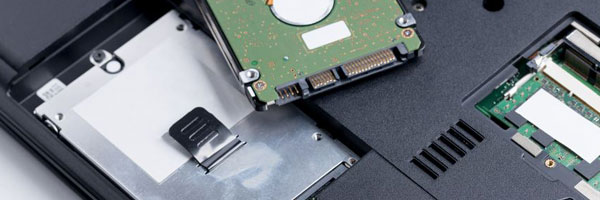
Reliable Storage Replacement and Performance Upgrades

Your laptop’s storage drive plays a critical role in system speed, stability, and data reliability. When a drive begins to fail, becomes too slow, or no longer meets your storage needs, replacing it can dramatically improve performance and extend the life of your device.

We provide professional laptop hard drive replacement and solid-state drive upgrades, focusing on proper diagnosis, safe installation, and long-term reliability across all major laptop brands.


Common Signs a Laptop Drive Needs Replacement

  • Slow startup or long loading times
  • Frequent freezing or unexpected crashes
  • Operating system failing to boot properly
  • Disk errors or SMART warnings
  • Clicking or abnormal noises from the drive
  • Insufficient storage space for normal use

These symptoms often indicate aging hardware or internal drive failure that should be addressed before data loss occurs.


Our Hard Drive Replacement Process

Drive and System Evaluation
We examine the current drive to determine its condition and confirm whether replacement is necessary or if another issue is involved.

Drive Installation (SSD or HDD)
Based on your usage needs, we install a compatible solid-state drive or traditional hard disk drive, prioritizing performance, capacity, and durability.

Operating System Installation
A fresh installation of Windows or macOS is performed and configured to ensure stability, proper drivers, and optimal performance.

Optional Data Transfer
If the original drive is still accessible, we can transfer files, documents, and user data to the new drive securely.

Testing and Optimization
Before return, the system is tested for boot speed, drive health, and overall stability.


Supported Laptop Brands

  • Apple MacBook, MacBook Pro, and MacBook Air
  • Dell, HP, Lenovo, ASUS, Acer, MSI
  • Microsoft Surface and other ultrabooks
  • Gaming, business, and student laptops

Both SATA and NVMe-based systems are supported, depending on model compatibility.


Benefits of Upgrading to a Solid-State Drive

  • Significantly faster boot and application load times
  • Improved system responsiveness
  • Lower heat output and quieter operation
  • Increased durability compared to mechanical drives

An SSD upgrade is one of the most effective ways to improve overall laptop performance.


Why Choose Our Drive Replacement Service

  • Over 14 years of experience with laptop hardware repairs
  • Careful handling of data and internal components
  • Model-specific drive compatibility verification
  • Clear recommendations based on actual system needs
  • No unnecessary upgrades or pressure

Our focus is long-term reliability, not short-term fixes.


Service Area

We assist customers throughout Miami-Dade County, including:

Miami, Brickell, Coral Gables, Doral
Hialeah, Kendall, Pinecrest, Aventura
Cutler Bay, Homestead, Miami Beach, and surrounding areas


Need a Laptop Drive Replacement or Upgrade?

If your laptop is slowing down or showing signs of drive failure, replacing the storage device can restore performance and prevent data loss.

Phone: 305-600-4217
Hours: Monday – Sunday | 9:00 AM – 7:00 PM

Free pickup and return delivery is available throughout Miami-Dade County.

Comments are closed.

Geek Corners

  • Detecting if your gaming laptop requires air cleaning maintenance April 12, 2025
  • The Best Practices for Building a Custom Gaming PC April 11, 2025
  • Mistakes to avoid when trying to repair a liquid damaged pc April 10, 2025
  • Enhance the performance of your gaming PC for streaming April 8, 2025
  • Identifying the causes of slow laptop performance April 6, 2025
  • Home Services April 4, 2025
  • Wiring Installation April 3, 2025
  • Security Cameras April 1, 2025
  • Wired and Wireless Network Mar 28, 2025
  • Data Recovery Mar 27, 2025
  • Game Console Diagnostic Mar 25, 2025
  • Drone Repairs Mar 23, 2025
  • Microsoldering Services Mar 22, 2025
  • Tablet Diagnostic Mar 21, 2025
  • iPhone Repairs Mar 20, 2025
  • Mac Pro Power Supply Repairs Mar 18, 2025
  • Mac Pro Data Transfer Mar 15, 2025
  • Mac Pro Data Recovery Mar 14, 2025
  • Mac Pro Software Configuration Mar 13, 2025
  • Mac Pro Logic Board Repairs Mar 12, 2025
  • Mac Pro Hardware Upgrades Mar 10, 2025
  • Mac Pro Video Repairs Mar 8, 2025
  • Mac Pro Hard Drive Replacement Mar 7, 2025
  • Mac Pro Cleaning and Maintenance Mar 4, 2025
  • Mac Pro Repair Diagnostic Mar 3, 2025
  • Desktop Computer Data Recovery Mar 2, 2025
  • Desktop Computer Data Transfer Mar 1, 2025
  • Desktop Computer Software Configuration Mar 1, 2025
  • Desktop Computer Hardware Upgrades Feb 27, 2025
  • Desktop Computer Motherboard Repairs Feb 25, 2025
  • Desktop Computer Hard Drive Replacement Feb 24, 2025
  • Desktop Computer Cleaning and Maintenance Feb 23, 2025
  • Desktop Computer Repair Diagnostic Feb 21, 2025
  • All-in-One Computer Data Recovery Feb 18, 2025
  • All-in-One Computer Data Transfer Feb 17, 2025
  • All-in-One Software Configuration Feb 16, 2025
  • All-in-One Computer Hardware Upgrades Feb 14, 2025
  • All-in-One Computer Motherboard Repairs Feb 13, 2025
  • All-in-One Computer Hard Drive Replacement Feb 11, 2025
  • All-in-One Computer Power Supply Repairs Feb 10, 2025
  • All-in-One Computer Cleaning and Maintenance Feb 9, 2025
  • All-in-One Computer Repair Diagnostic Feb 7, 2025
  • MacBook Air Data Transfer Feb 5, 2025
  • MacBook Air Software Configuration Feb 4, 2025
  • MacBook Air Data Recovery Feb 3, 2025
  • MacBook Air Liquid Damage Repairs Feb 2, 2025
  • MacBook Air Logic Board Repairs Feb 1, 2025
  • MacBook Air Trackpad Repairs Jan 25, 2025
  • MacBook Air DC Jack Repairs Jan 24, 2025
  • MacBook Air Hard Drive Replacement Jan 23, 2025
  • MacBook Air Battery Replacement Jan 22, 2025
  • MacBook Air Keyboard Repairs Jan 21, 2025
  • MacBook Air Screen Repairs Jan 20, 2025
  • MacBook Air Cleaning and Maintenance Jan 19, 2025
  • MacBook Air Repair Diagnostic Jan 15, 2025
  • iMac Data Recovery Jan 14, 2025
  • iMac Data Transfer Jan 13, 2025
  • iMac Software Configuration Jan 11, 2025
  • iMac Logic Board Repair Jan 10, 2025
  • iMac Video Repair Jan 8, 2025

Frequently Served Cities

  • West Miami
  • Key Biscayne
  • Indian Creek
  • Cutler Bay
  • Miami Gardens
  • Hialeah Gardens
  • Palmetto Bay
  • North Bay Village
  • Bal Harbour
  • Homestead

Primary Service Zones

  • Miami
  • Miami Springs
  • South Miami
  • Pinecrest
  • Doral
  • Coral Gables
  • Sweetwater
  • North Miami Beach
  • Edgewater Miami
  • Downtown Miami

Popular Service Regions

  • Brickell Miami
  • Medley
  • Hialeah
  • Opa Locka
  • Midtown Miami
  • Virginia Gardens
  • North Miami
  • Miami Beach
  • Miami Shores
  • Miami Lakes

Fast, affordable Computer Repair Near You in Miami

Free pickup and delivery available for Miami residents. Call (305) 600-4217

Serving Miami residents with reliable PC and Mac repair

© 2011-2025 Computer Repair Miamis . All Rights Reserved.

  • Twitter
  • Facebook
  • Vimeo
Pinterest Tumblr Instagram